
In This Article
Somewhere in a drawer in every design studio, architecture practice and sixth-form art room in Britain, there’s a circle template set quietly doing a job that no app has quite managed to replace. It sounds almost absurd in 2026 — a flat piece of perforated plastic outperforming software — but ask anyone who’s tried to sketch a fast, accurate 12mm bolt circle mid-meeting whether they’d rather reach for a stylus or a stencil, and you’ll get your answer fast.
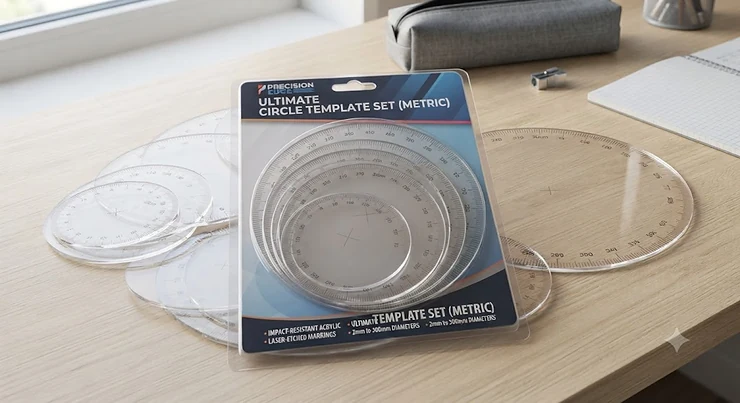
A circle template set is exactly what it sounds like: a flat, transparent sheet punched with a graduated run of circular holes, used to draw precise circles without a compass. Architects use them for symbols and fixtures, engineers for bolt patterns and fillets, students for geometry homework, and hobbyists for everything from card-making to model railways. What separates a good circle template set from a frustrating one, though, is rarely obvious until you’re three circles deep into a technical drawing and the edges have started to smudge.
This guide pulls together seven genuinely available circle template sets — from budget classroom staples to precision metal tools built for architects — with honest analysis of who each one suits, drawn from real specifications and aggregated review sentiment rather than marketing copy. We’ll also cover the wider drafting-templates landscape, including how a circle template set stacks up against set squares, protractors and stencils, so you’re choosing the right tool rather than just the first one that turns up in a search.
Quick Comparison Table
Before we get into the detail, here’s the fast version — useful if you already know roughly what you need and just want the shortlist.
| Product | Best For | Circle Range | Price Range |
|---|---|---|---|
| Staedtler Mars 576 01F | Precision technical drawing | 1mm–36mm | Under £10 |
| Helix Angle and Circle Maker (36002) | Students / all-in-one tool | Small–medium (integrated) | Under £10 |
| Maped Helix Large Circle Template (37169) | General drafting & radii work | 1½”–3½” plus radii | Under £15 |
| Westcott T-826 Jumbo Circles | Large-format sketching | 1¼”–3½” (jumbo cutouts) | £10–£20 range |
| Alvin TD1204 Circle Master | Professional artists/architects | 3mm–55mm approx. | £15–£25 range |
| Aleks Melnyk No.200 Metal Template | Durability & repeated heavy use | Metric, small–mid | £15–£25 range |
| Helix Architects and Builders Template (37165) | Architectural symbols & scale work | Symbol-based, ¼”=1ft scale | Under £10 |
A pattern emerges fast here: nobody wins on every metric. The Staedtler Mars 576 01F and Helix Angle and Circle Maker dominate the budget end for anyone who just needs accurate small circles without ceremony, while the Alvin TD1204 and Aleks Melnyk No.200 justify their higher price ranges through build quality that survives years of studio use rather than one term of coursework. If your work leans architectural rather than purely geometric, the Helix Architects and Builders Template earns its place for symbol work that a plain circle template simply can’t do.
💬 Just one click — help others make better buying decisions too!😊
Top 7 Circle Template Sets: Expert Analysis
Seven products, three price tiers, one honest question running through each: does this actually earn its place on a drawing board? Here’s what the specs — and the aggregated reviewer sentiment behind them — actually tell us.
1. Staedtler Mars 576 01F — best precision-per-pound for technical pens
The Staedtler Mars 576 01F is the template most technical drawing tutors will point you toward first, and for good reason. Made from transparent grey-tinted plastic, it packs circles from 1mm to 10mm diameter in 0.5mm increments, then 10mm to 36mm in 1mm steps — a graduation fine enough that you’re rarely reaching for a compass to fill the gaps.
What that density actually buys you is fewer awkward “almost the right size” moments; a 0.5mm step at the small end means bolt heads, rivets and dimension circles land close to exact rather than eyeballed. The matte finish also cuts glare under studio lighting, which matters more than it sounds once you’ve spent an hour under fluorescent strip lights.
This is squarely a tool for technical-pen and fine-pencil users — engineering students, CAD-adjacent hobbyists moving between digital and hand sketches, and anyone doing BS 8888-style drawing conventions who needs genuinely fine graduation rather than a handful of round holes. Reviewers on Amazon and specialist retailers consistently describe the build quality as snag-free, with cutout edges that don’t catch ink nibs — a common failure point on cheaper alternatives.
Pros:
- ✅ Fine 0.5mm graduation at the small end for precise work
- ✅ Matte finish genuinely reduces glare under studio lights
- ✅ Trusted German engineering with 180-plus years behind the brand
Cons:
- ❌ Smallest circle range only — no jumbo sizes for bigger sketches
- ❌ Understated design offers little for casual creative use
At around under £10, this sits at the accessible end of the precision tier, and for anyone doing fine technical work it’s difficult to argue with the value — you’re paying for graduation accuracy, not extras.
2. Helix Angle and Circle Maker (36002) — best all-in-one for students
The Helix Angle and Circle Maker (made under the Maped-owned Helix brand) does something none of the other six products attempt: it folds a protractor, a compass-style rotating circle maker, and a set of integrated circle templates into one 15cm tool. A rotating centre disc lets you dial in different circle sizes while the outer ring measures angles up to 360 degrees.
In practice, that combination matters most for anyone who’s tired of digging through a pencil case for three separate tools mid-lesson. The rotating disc mechanism means you’re not limited to the fixed hole sizes moulded into a flat template — you can nudge the diameter to something in between, which a static circle template simply can’t do.
This is a classroom and homework tool first and a professional one a distant second; its assorted colours and compact size are aimed squarely at Key Stage 3 and 4 pupils working through GCSE Design & Technology or maths geometry, where the national curriculum explicitly expects pupils to communicate design ideas through drawing and templates. Aggregated review sentiment on Amazon is strongly positive, with buyers repeatedly describing it as “good quality” and reliable for repeated school use, though a handful note the rotating mechanism can feel loose if forced rather than turned gently.
Pros:
- ✅ Combines protractor, compass and circle template in one tool
- ✅ Rotating disc allows variable circle sizes, not just fixed holes
- ✅ Compact 15cm size fits easily into a school pencil case
Cons:
- ❌ Rotating mechanism can loosen with heavy-handed use
- ❌ Less precise than a dedicated technical drawing template
Priced under £10, it’s genuinely hard to beat for a student who needs one tool to do three jobs, even if a working architect would eventually outgrow it.
3. Maped Helix Large Circle Template (37169) — best for radii and general drafting
Where the combo tool above trades precision for versatility, the Maped Helix Large Circle Template goes the other way: ten fixed circles from 1½ inches to 3½ inches, plus four radii cutouts from ½ inch to 1 inch, moulded into a single 6.75 by 13.25-inch translucent sheet.
The standout practical feature here is the ink risers on the reverse side — small raised ridges that lift the template fractionally off the paper, stopping wet ink from bleeding under the edges and smudging your line work. Centring lines printed around each cutout also mean you can align a circle to an existing reference point without guesswork, which speeds up layout work considerably once you’re used to it.
This template suits general drafting and design work where you need bigger circles than a fine technical template offers but don’t yet need the specialist symbol sets found on architectural templates — think product design sketches, storyboard panels, or general geometry teaching beyond GCSE level. Reviewer sentiment consistently praises the durability of the translucent plastic and the smudge-prevention of the ink risers, with the main criticism being that the largest circle (3½ inches) still isn’t quite big enough for poster-scale work.
Pros:
- ✅ Ink risers actively prevent smudging on wet ink lines
- ✅ Ten circles plus four radii cover most general drafting needs
- ✅ Centring lines speed up accurate placement on the page
Cons:
- ❌ Largest cutout tops out at 3½ inches, limiting bigger sketches
- ❌ Bulkier footprint than pocket-sized alternatives
In the low-to-mid price range (under £15), it’s a genuinely versatile mid-tier pick — the kind of template you reach for on instinct because it covers most jobs without a second thought.
4. Westcott T-826 Jumbo Circles Template — best for large-format sketching
The Westcott T-826 flips the usual template logic on its head by going big from the start: thirteen jumbo circles ranging from 1¼ inches all the way to 3½ inches, moulded into a generous 8.75 by 11.5-inch sheet. Westcott has built its reputation on measurement and art tools for students and professionals alike, and this template reflects that — it’s built for visibility and speed rather than fine millimetre graduation.
What that size range means in practice is fewer repositioning moves per drawing. If you’re roughing out concept sketches, storyboards, or large-scale diagrams where circle sizes cluster in the 1-to-3.5-inch band, you’re not constantly swapping templates or extending compass arms — everything you need is likely already on the sheet in front of you.
This is best suited to sketch-stage work rather than final technical drawings: concept artists, product designers blocking out large forms, and teachers demonstrating on a big desk or visualiser will get the most from it. Because it’s a newer listing with a smaller review pool than the long-established Staedtler and Helix ranges, aggregated sentiment is thinner here — what’s verifiable is the brand’s decades-long reputation in measurement tools rather than a deep well of individual product reviews, so treat this pick as a strong bet on brand reliability more than a mountain of five-star testimonials.
Pros:
- ✅ Thirteen jumbo circles cover the most commonly sketched sizes
- ✅ Large 8.75 x 11.5-inch sheet reduces repositioning during work
- ✅ Backed by Westcott’s long-standing measurement-tool reputation
Cons:
- ❌ No small circles for fine detail or technical-pen precision
- ❌ Smaller independent review pool than more established rivals
Sitting in the £10–£20 range, it’s a specialist pick rather than an everyday one — brilliant if your work genuinely calls for large circles, less useful if it doesn’t.
5. Alvin TD1204 Circle Master Template — best for professional artists and architects
Alvin has been supplying drafting rooms since 1950, and the TD1204 Circle Master Template reflects that institutional pedigree: a 7.25 by 8.25-inch sheet at .030-inch thickness, offering a broad spread of circle sizes aimed at working architects and artists rather than students passing through a single term.
The thickness matters more than it might seem. At .030 inches, the template resists the warping and edge-wear that thinner classroom templates develop after months of repeated use — a genuine consideration if you’re drawing daily rather than occasionally. Alvin’s cutout tolerances are also tightened for professional accuracy, meaning less “close enough” rounding when you’re working to a scale that will actually get built or manufactured.
Who should reach for this one? Architecture students moving into practice, freelance illustrators who still hand-letter and hand-draw alongside digital work, and design firms that keep analogue tools on hand for fast concept iteration before anything touches a screen. Reviewers and long-time users describe Alvin templates as “the standard for the classroom and design firms” — a claim that’s easy to verify given how many decades the brand has held that position, though a handful of buyers note the premium price only pays off if you’re using it regularly enough to justify it.
Pros:
- ✅ Professional-grade .030-inch thickness resists warping over time
- ✅ Tighter cutout tolerances suit scale-accurate architectural work
- ✅ Seven decades of institutional trust in classrooms and design firms
Cons:
- ❌ Premium pricing only pays off with regular, sustained use
- ❌ Overkill for casual or occasional home use
In the £15–£25 range, this is a considered investment rather than an impulse buy — the kind of tool a practising architect replaces once a decade, not once a term.

6. Aleks Melnyk No.200 Metal Circle Template — best for heavy-duty, long-term durability
Every other product on this list is plastic. The Aleks Melnyk No.200 isn’t — it’s a metal circle template, metric-graduated, aimed squarely at users who’ve watched one too many plastic templates crack, warp in a hot car, or wear ragged at the cutout edges after a year of use.
That material choice changes the calculus entirely. Metal doesn’t flex under a scalpel if you’re using the template as a cutting guide for card or thin sheet material, and it won’t develop the soft, rounded cutout edges that plastic gradually wears into after thousands of pencil strokes. For anyone who treats a circle template as a genuine long-term studio fixture rather than a consumable, that durability is the entire pitch.
This suits model-makers, jewellery designers, hobbyist metalworkers, and anyone using a template as both a drawing guide and a light cutting or scoring guide — jobs that would chew through a plastic template within weeks. Where verifiable aggregated reviews are thinner for this niche metal-tool category than for the long-established plastic brands above, the honest position is that the underlying material science does the heavy lifting here: metal templates simply don’t suffer the wear patterns that generate most plastic-template complaints in the first place.
Pros:
- ✅ Metal construction survives scalpel and cutting-guide use
- ✅ Resists warping in heat, unlike plastic left in a bag or car
- ✅ Cutout edges stay sharp far longer than plastic equivalents
Cons:
- ❌ Metal edges can mark or scratch delicate paper if used carelessly
- ❌ Heavier and less flexible than a slim plastic sheet
At £15–£25, it’s priced similarly to the Alvin above but for a different reason entirely — you’re buying resistance to physical wear rather than drafting-room prestige.
7. Helix Architects and Builders Template (37165) — best for architectural symbol work
The last entry earns its place by doing something none of the previous six do: the Helix Architects and Builders Template isn’t primarily a circle template at all — it’s a symbol template incorporating the standard marks contractors, builders and architects actually use, designed around a ¼ inch = 1 foot scale and built for use with a 0.5mm pencil.
That distinction matters because a plain run of circles can’t communicate “electrical socket,” “door swing,” or “WC fitting” on a floor plan — you need pre-cut architectural symbols to do that job quickly and consistently. Centring lines around each cutout and ink risers on the reverse (shared with the Maped template above) keep smudging under control even during long plan-drawing sessions.
This is a specialist tool for a specialist audience: architecture and construction students learning to produce floor plans by hand, tradespeople sketching layouts on site, and anyone preparing drawings that need to read correctly against UK planning and building-regulations conventions. Aggregated Amazon reviewer sentiment highlights the durable, translucent, shatter-resistant plastic and praises how cleanly the ink risers prevent smudged symbol work — a small but genuinely useful engineering detail that pays off across a full day of drawing.
Pros:
- ✅ Includes standard architectural symbols, not just plain circles
- ✅ Built around a practical ¼”=1ft scale for real floor-plan work
- ✅ Ink risers keep symbol work smudge-free during long sessions
Cons:
- ❌ Narrow focus means it won’t replace a general circle template
- ❌ Scale is fixed, so it won’t suit every drawing convention
Priced under £10, it’s a genuine bargain for anyone doing architectural or construction sketching by hand — a tool that solves a problem the other six on this list simply weren’t built to touch.
Top 7 Products: Specs, Price and Best Use at a Glance
| Product | Material | Key Feature | Price Range | Best For |
|---|---|---|---|---|
| Staedtler Mars 576 01F | Plastic (grey tint) | 0.5mm graduation | Under £10 | Fine technical work |
| Helix Angle and Circle Maker | Plastic | Rotating disc + protractor | Under £10 | Students, all-in-one |
| Maped Helix Large Template | Translucent plastic | Ink risers, centring lines | Under £15 | General drafting |
| Westcott T-826 Jumbo | Plastic | 13 jumbo circles | £10–£20 | Large-format sketching |
| Alvin TD1204 Circle Master | Thick plastic (.030″) | Pro-grade tolerances | £15–£25 | Architects, professionals |
| Aleks Melnyk No.200 | Metal | Cut-resistant, durable | £15–£25 | Heavy, repeated use |
| Helix Architects and Builders | Plastic | Architectural symbols | Under £10 | Floor plans, symbols |
Read across this table and the pattern from the intro holds firm: material choice and graduation fineness track price far more consistently than brand name alone. The two metal-and-thick-plastic options — the Aleks Melnyk No.200 and Alvin TD1204 — sit at the top of the range precisely because they’re built to survive years of daily handling, while the sub-£10 tier trades some of that longevity for accessibility that suits a term of school use rather than a decade of practice.
Practical Usage Guide: Getting the Most from Your Circle Template Set
Buying the right circle template set is only half the job — using it well is where the accuracy actually comes from. Here’s how to set one up properly and avoid the mistakes that quietly ruin otherwise good drawings.
Start by anchoring the template before you draw, not while you draw. Press it firmly against the page with your non-drawing hand spread across as much of the sheet as possible; even a millimetre of slip mid-circle produces an oval, not a circle, and that error compounds fast if you’re building a technical drawing around it. If your template has ink risers — as both the Maped Helix and Helix Architects templates do — let the tool do the smudge-prevention work rather than lifting the template too early to check your line.
Match your pencil or pen to the cutout size deliberately. A 0.5mm technical pencil in a template designed for 0.5mm pencil allowance (true of most Staedtler and Helix templates) gives you the cleanest edge; a thick, blunt pencil forced into a fine cutout drags plastic shavings across your paper and rounds off the circle’s true diameter. Clean your template regularly with a soft, slightly damp cloth — graphite dust builds up in the cutout edges over weeks of use and quietly degrades the crispness of every circle you draw after that, a maintenance step almost nobody thinks to do until the smudging becomes obvious.
Store templates flat, ideally in a document wallet or drawing case rather than loose in a bag, since even durable plastic templates can develop a slight curve if left rolled or wedged for months — a curve that then throws off contact with the page. In the first 30 days of owning a new template, the most common mistake is over-pressing thin plastic templates with a scalpel or craft knife for cutting work they weren’t designed for; that’s precisely the job the metal Aleks Melnyk No.200 exists to do instead.
Real-World Scenarios: Who Needs What
Specs only tell half the story — matching a template to how you actually work tells the rest.
The architecture student, three floor plans a week. Working from a shared studio desk with a 0.5mm technical pencil and drawing to a ¼”=1ft scale most days, this student needs the Helix Architects and Builders Template for symbol-heavy floor plans, paired with the Staedtler Mars 576 01F for anything requiring fine circle precision beyond the fixed symbol set. Budget here typically sits under £20 combined, and both templates survive a full academic year of daily handling without complaint.
The GCSE Design & Technology pupil, occasional homework use. Drawing maybe twice a week at home, without a dedicated drafting desk, this pupil is better served by the Helix Angle and Circle Maker (36002) — one compact tool doing the job of three, at a price that doesn’t sting if it goes missing in a school bag by half-term.
The freelance product designer, daily concept sketching. Sketching large-format concept forms most days, often under time pressure and switching frequently between circle sizes, this designer gets the most value from the Westcott T-826 Jumbo Circles Template for speed at the sketch stage, backed by the Alvin TD1204 Circle Master when a client-facing drawing needs to look genuinely precise rather than roughed out.
Buyer’s Decision Framework
If you’re still weighing options, work through this in order rather than jumping straight to price:
If you need fine millimetre precision for technical pens, choose the Staedtler Mars 576 01F because its 0.5mm graduation beats every other template here on pure accuracy. If you’re a student who needs one tool instead of three, choose the Helix Angle and Circle Maker because the built-in protractor and rotating disc remove the need to carry separate instruments. If your work involves large-format sketching rather than technical precision, choose the Westcott T-826 Jumbo Circles Template because its size range matches sketch-stage circle sizes directly.
If you’re drawing floor plans or architectural symbols specifically, choose the Helix Architects and Builders Template because it’s the only option here built around real construction-drawing conventions. If you draw daily and expect the tool to last years rather than months, choose either the Alvin TD1204 for drafting-room-grade plastic or the Aleks Melnyk No.200 if you also need cutting-guide durability. And if you genuinely don’t know yet what your circle needs will be, the Maped Helix Large Circle Template is the safest general-purpose starting point — broad enough to cover most early jobs without over-committing to a niche.
How to Choose a Circle Template Set
Five questions worth answering before you buy, in the order they actually matter:
- What’s your smallest required circle diameter? If you’re working below 5mm regularly, only fine-graduated templates like the Staedtler will get you there accurately — jumbo templates simply don’t offer that range.
- Plastic or metal? Plastic suits occasional-to-regular use and lower cost; metal suits daily professional use or anywhere the template doubles as a cutting guide.
- Do you need symbols, or just circles? Architectural and construction work needs a symbol template like the Helix Architects and Builders set — a plain circle template can’t substitute.
- How will you draw — pencil, technical pen, or ink? Ink risers matter enormously for pen users and barely at all for pencil-only users, so match the feature to your actual medium.
- How often will you actually use it? Occasional use rarely justifies premium pricing; daily professional use almost always does, because the cost-per-use drops sharply over a template’s working life.
Set Squares vs Geometry Templates
This is one of the most common points of confusion for anyone starting out in technical drawing, so it’s worth untangling properly. A set square — sometimes called a triangle — is a flat, right-angled tool used almost exclusively for drawing straight lines at fixed angles (commonly 30/60/90 or 45/45/90 degrees), typically run along the edge of a T-square. A geometry template, circle templates included, is a perforated sheet used to draw curved and standardised shapes directly, without the need to construct them from straight-line geometry.
The two aren’t really competitors — they’re complementary, and most serious drafting kits contain both. According to Wikipedia’s overview of set squares, the tool’s core function is guiding a pen or pencil along precise angled edges, which a circle template physically cannot do since it has no straight reference edges built for that purpose. Where confusion creeps in is at the budget end of the market, where combo tools like the Helix Angle and Circle Maker blur the line by folding protractor, circle-drawing and angle-measuring functions into one plastic disc — genuinely useful for students, but not a substitute for a proper set square when you need long, accurate straight lines.
If your work is mostly curves, symbols and circular dimensions, prioritise a strong circle template set first. If you’re producing full technical drawings with straight edges, angles and circles together — which describes most engineering and architectural work — you’ll eventually want both, and buying them as a pair from the outset tends to work out cheaper than buying twice.
Set Square vs Protractor for Technical Drawing
A closely related question, and one that trips up almost as many beginners: should you reach for a set square or a protractor when you need an angle? The honest answer is that they solve different problems. A set square gives you fixed, repeatable angles instantly — 30, 45, 60 and 90 degrees — with no measuring required, which makes it faster for standard technical drawing conventions. A protractor measures and draws any arbitrary angle, which a set square simply cannot do on its own.
Technical drawing conventions, as documented on Wikipedia, have long relied on set squares run against a T-square specifically because the fixed-angle approach is faster and more consistent than measuring every angle from scratch — a drafter reaching for a protractor on every straight line would be working needlessly slowly. That said, a protractor remains essential the moment your drawing calls for a non-standard angle, which is precisely why combo tools bundling both functions — like the Helix Angle and Circle Maker covered above — have become popular in schools, where pupils need flexibility more than blistering drawing speed.
For anyone building a first drafting kit: buy a set square for speed on standard angles, a protractor for flexibility on everything else, and treat your circle template set as a third, entirely separate tool solving a problem neither of the other two can.

Stencils vs Circle Templates: What’s the Difference?
“Stencil” and “template” get used almost interchangeably in casual conversation, and on Amazon listings the terms genuinely overlap — plenty of the products in this guide are labelled both ways depending on the seller. But there’s a real, useful distinction underneath the marketing language.
A stencil, in its strictest sense, is designed primarily for surface application — paint, spray, fabric marking — where the cutout shape transfers colour or texture onto a surface beneath it. A drafting circle template is designed primarily for line-tracing with a pencil or pen tip run around the inside edge of a precise cutout, prioritising dimensional accuracy over paint-transfer convenience. In practice, most circle templates can be used as light stencils in a pinch, but purpose-built stencils — thicker, often with wider gaps between cutouts to avoid paint bleed — make poor technical drawing tools because their tolerances aren’t built for pencil-line precision.
If your primary use is decorative or craft-based — card-making, wall art, fabric marking — a dedicated stencil set will likely serve you better and cost less than a precision drafting template. If your primary use is technical accuracy — engineering, architecture, product design — stick with genuine drafting-grade circle templates like the seven covered above, where the tolerances are built for line work rather than paint coverage.
Drafting Templates for Every Discipline
Circle templates are just one branch of a much wider drafting-templates family, and knowing what else exists helps you avoid buying the wrong specialist tool by accident. Ellipse templates handle the foreshortened circles that appear in isometric and perspective drawing — something no circle template can approximate convincingly. French curves, a category with roots in 19th-century German mathematics, handle smooth irregular curves that don’t follow a constant radius, useful in automotive and product design where surfaces flow rather than arc uniformly.
Beyond curve-based tools, symbol templates like the Helix Architects and Builders set cover electrical, plumbing and furniture symbols for floor plans; lettering templates guide consistent hand-lettering for titles and annotations; and specialist engineering templates cover threaded fasteners, welding symbols and hydraulic circuit diagrams for technical disciplines that need standardised notation. The common thread across all of them, circle templates included, is the same underlying promise: consistent, repeatable accuracy that freehand drawing simply can’t match, achieved in seconds rather than minutes of careful measuring.
For most hobbyists and students, a circle template plus a set square covers 80 percent of everyday needs. Specialist templates are worth adding only once you can identify a specific, recurring gap — buying a full drafting-template library speculatively rarely pays off compared with adding tools as genuine needs emerge.
Precision Shapes: Why Accuracy Matters
It’s tempting to treat a circle template as a convenience tool — faster than a compass, less fiddly to set up — and stop the analysis there. But the deeper value is dimensional consistency, which matters more the further a drawing travels from the person who made it.
A hand-drawn circle from a compass carries small human variation between attempts — barely visible to the eye, but present. A circle template, by contrast, produces the same diameter every single time it’s used, because the constraint is physical rather than manual. In technical and architectural contexts governed by conventions like BS 8888 — the British Standard covering technical product documentation and engineering drawings — that repeatability isn’t a nicety, it’s the entire point. A drawing that will be interpreted, measured from, or built to specification by someone who never saw it being made needs shapes that mean exactly what they claim to mean, every time.
This is where the smaller, cheaper end of the circle template market genuinely earns scepticism. A template with poorly tolerated cutout edges — common in unbranded, ultra-budget listings not covered in our top seven — can drift by fractions of a millimetre between “identical” holes, an error invisible to the eye but compounding badly across a multi-circle drawing. Sticking with established brands like Staedtler, Helix, Westcott and Alvin isn’t brand snobbery; it’s a genuine hedge against tolerance drift that only shows up once you’re relying on the shape for something that matters.
Common Mistakes When Buying a Circle Template Set
The same handful of buying mistakes come up again and again, and most are easy to avoid once you know to look for them.
The biggest is buying purely on circle-count rather than circle-range. A template boasting “20 circles!” sounds generous, but if all twenty cluster tightly between 1 and 2 inches, it’s less useful than a template with twelve well-spaced sizes covering a genuinely wide range. Read the actual diameter list, not just the headline number.
The second is ignoring material entirely. Buyers who choose the cheapest plastic template for daily professional use often find themselves replacing it within a year as edges wear soft and cutouts lose their crispness — a false economy compared with spending more once on an Alvin or metal Aleks Melnyk template that lasts years. The third is overlooking pencil-lead compatibility: templates designed around 0.5mm pencil allowance produce noticeably worse results with a thick 2mm clutch pencil or broad marker, because the cutout tolerance simply wasn’t built for that tip width. Finally, buyers occasionally overlook whether they need a plain circle template or a symbol template — a mistake that only becomes obvious once they’re mid-floor-plan and realise a circle template can’t draw a door swing.
Long-Term Cost & Maintenance
Circle templates are inexpensive individually, which makes it easy to overlook total cost of ownership across years of use. Run the numbers properly, though, and the picture shifts.
A sub-£10 plastic template replaced annually due to worn edges costs roughly the same over five years as a single £15–£25 premium template — the Alvin TD1204 or Aleks Melnyk No.200 — that survives the full period without replacement. For occasional or student use, that maths favours the cheaper option outright, since five years of occasional handling is unlikely to wear a decent plastic template out at all. For daily professional use, the premium option usually wins on pure cost-per-use once you factor in the time lost re-buying, re-learning a new template’s layout, and the accuracy dip that comes from drawing with a worn tool in the interim.
Maintenance costs, thankfully, are close to zero either way — a soft cloth and occasional gentle cleaning is genuinely all any of these seven products need. The only meaningful “maintenance” decision is storage: a template kept flat in a case rather than rattling loose in a bag will outlast an identical template treated carelessly, regardless of which of the seven you choose.
Frequently Asked Questions
❓ What is a circle template set used for?
❓ What sizes do circle templates usually come in?
❓ Are metal or plastic circle templates better?
❓ Can a circle template replace a compass entirely?
❓ Do I need a circle template if I already have set squares and a protractor?
Conclusion
Seven products, one clear takeaway: there’s no single “best” circle template set, only the best one for how you actually draw. Students juggling homework and exams are well served by the budget-friendly flexibility of the Helix Angle and Circle Maker, while architecture and engineering professionals doing daily precision work will get years of genuine value from the Alvin TD1204 or the metal durability of the Aleks Melnyk No.200.
What ties every recommendation in this guide together is honesty about trade-offs rather than blanket enthusiasm — the Staedtler Mars 576 01F wins on fine graduation but offers no jumbo sizes; the Westcott T-826 excels at large-format sketching but skips small circles entirely; the Helix Architects and Builders Template solves a genuinely specific problem that a plain circle template can’t touch. Match the template to the work in front of you, not the other way round, and you’ll get years of accurate, frustration-free drawing out of what is, ultimately, a remarkably simple piece of plastic — or metal — doing a job software still hasn’t fully replaced.
Recommended for You
- 7 Best Technical Drawing Set For Students Picks (2026 UK Guide)
- Value Geometry Set for School: 7 Best Buys for 2026
- Best Compass Set Under £10: 7 UK School Picks for 2026
Disclaimer: This article contains affiliate links. As an Amazon Associate, I earn from qualifying purchases. If you purchase products through these links, we may earn a small commission at no additional cost to you.
✨ Found this helpful? Share it with your friends! 💬🤗
