
In This Article
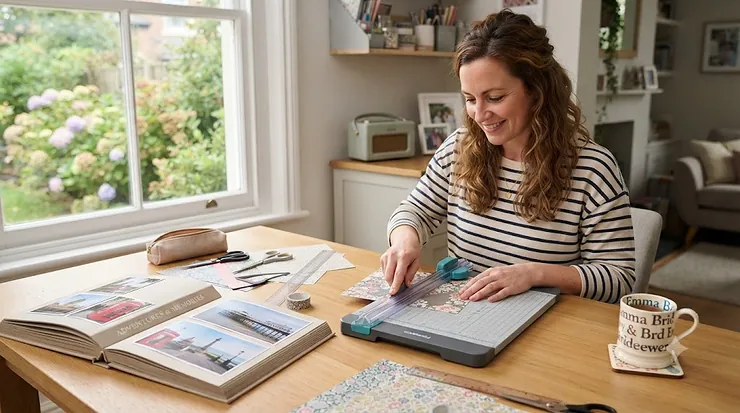
There’s a particular kind of frustration only scrapbookers know: you’ve spent twenty minutes matching patterned paper to a photo, you line it up on the cutting board, and the edge comes out wobbly enough to ruin the whole layout. A decent paper trimmer for scrapbooking fixes that problem permanently, and it’s one of those tools that quietly becomes the most-used item on your craft desk. So what actually is one? A paper trimmer is a compact cutting tool — usually a rotary blade, a bypass blade, or a small hinged guillotine — that runs along a fixed track to produce a straight, repeatable cut, unlike scissors or a craft knife, which rely entirely on your hand staying steady. The wider category of paper cutters, also known as paper guillotines, dates back to a design patented in 1844 by the French inventor Guillaume Massiquot, and the core mechanism hasn’t changed all that much since — what has changed is the safety engineering, the portability, and the precision you get for your money.
This guide is built specifically around what UK crafters need: real products sold through amazon.co.uk, honest comparisons rather than marketing copy, and enough technical depth that you can actually justify your purchase. We’ve researched seven genuine trimmers spanning budget, mid-range, and premium price points, and we’ll walk through how they differ for scrapbooking, card making, straight cuts on cardstock, and even guillotine for office use if that’s part of your buying criteria too. Whether you’re setting up your very first craft station or replacing a trimmer that’s finally given up the ghost, you’ll find a straight answer here rather than a rehashed spec sheet.
Quick Comparison Table
| Trimmer | Type | Cut Length | Best For |
|---|---|---|---|
| Fiskars SureCut Precision Trimmer | Bypass | 12″ | Budget everyday straight cuts |
| Tonic Studios Tim Holtz Mini Guillotine | Guillotine | 8.5″ | Portable card making |
| Tonic Studios Guillotine Maxi Trimmer | Guillotine | 12″ | Full 12×12 scrapbook sheets |
| We R Memory Keepers Cinch Stack Cutter | Guillotine | 12″ | Thick stacks, chipboard, layering |
| Dahle 508 Personal Rotary Trimmer | Rotary | 12″ | Precision, long-term durability |
| Westcott TrimAir Paper Trimmer | Guillotine | 12″ | High-volume batch cutting |
| Amazon Basics Paper Trimmer Cutter | Guillotine | 12″ | Guillotine for office use / dual purpose |
Looking at the spread above, the split roughly follows blade type: bypass and rotary trimmers tend to suit crafters who want tidy, repeatable straight cuts on single sheets, while guillotine-style trimmers like the Tonic Studios Guillotine Maxi Trimmer and We R Memory Keepers Cinch Stack Cutter win when you’re slicing through thicker cardstock or multiple layers at once. If budget is your main constraint, the Amazon Basics Paper Trimmer Cutter and Fiskars SureCut Precision Trimmer sit at the accessible end, while the Dahle 508 Personal Rotary Trimmer justifies its higher price with a self-sharpening blade that simply lasts longer under regular use.
💬 Just one click — help others make better buying decisions too!😊
Top 7 Paper Trimmers for Scrapbooking: Expert Analysis
1. Fiskars SureCut Precision Trimmer — best budget option for everyday straight cuts
The Fiskars SureCut Precision Trimmer is the trimmer most scrapbookers cut their teeth on, and there’s a reason it keeps turning up in starter kit recommendations. Its self-sharpening rotary-style blade sits inside a protective housing, which means you’re not exposing a bare blade every time you make a cut — a genuinely useful feature if your craft table doubles as a family dining table. The 12-inch cutting length covers most cardstock and standard photo sizes, and the printed ruler with grid lines makes lining up a straight edge fast rather than fiddly.
Based on the spec comparison with pricier rotary trimmers, what the Fiskars SureCut Precision Trimmer sacrifices is raw durability under heavy daily use — the plastic housing and blade carriage aren’t built for a busy classroom or a full-time crafting business, but for a hobbyist cutting a few sheets a week, it’s more than adequate. Reviewers consistently report that the enclosed blade feels safer around children and pets than open-blade trimmers, though a recurring theme in feedback is that the blade needs replacing sooner than premium rotary alternatives once you’re cutting cardstock rather than thin paper daily.
Pros:
- ✅ Enclosed blade housing feels safer on a shared table
- ✅ Lightweight and easy to store in a craft caddy
- ✅ Grid ruler makes straight cuts quick to line up
Cons:
- ❌ Blade carriage wears faster on thick cardstock
- ❌ Less rigid base than guillotine-style trimmers
Expect the Fiskars SureCut Precision Trimmer to sit in the lower price bracket, generally under £20 at the time of research. For occasional scrapbookers and card makers on a tight budget, it’s genuinely good value — just don’t expect it to survive years of daily 300gsm cardstock cutting without a blade swap.
2. Tonic Studios Tim Holtz Mini Guillotine — best portable trimmer for card making
Designed with Tim Holtz’s name behind it, the Tonic Studios Tim Holtz Mini Guillotine is an 8.5-inch guillotine-style cutter built for exactly the kind of small, precise work card makers do — trimming ATC cards, cropping 4×6 photos, and squaring up mounting layers. The swing-arm blade with a Kushgrip comfort handle means less hand fatigue than you’d expect from a hinged blade, and the paper guard doubles as both a safety shield and an alignment aid.
What most buyers overlook about this model is how much desk space it saves compared with a full 12-inch trimmer — for anyone working from a small craft nook or taking their kit to a crop night, that footprint matters as much as the cut quality. On paper this means less capacity per cut, since you’re limited to roughly two to three sheets of standard cardstock at once, but for card making specifically, where you’re rarely trimming full 12×12 sheets, that trade-off makes sense. Aggregated review sentiment consistently praises the pre-sharpened stainless steel blade for staying crisp far longer than expected, though a portion of buyers note the small ruler markings can be tricky to read without good lighting.
Pros:
- ✅ Compact footprint ideal for small craft spaces
- ✅ Swing-arm blade stays sharp with minimal maintenance
- ✅ Finger guard doubles as an alignment aid
Cons:
- ❌ Limited to roughly 2-3 sheets per cut
- ❌ Small ruler markings are harder to read
Priced typically in the £10-£20 range, the Tonic Studios Tim Holtz Mini Guillotine represents strong value specifically for card makers rather than full-page scrapbookers, where its smaller cutting area becomes the limiting factor.
3. Tonic Studios Guillotine Maxi Trimmer — best for full 12×12 scrapbook sheets
For scrapbookers working with the standard 12×12-inch paper size that dominates the hobby, the Tonic Studios Guillotine Maxi Trimmer is built around exactly that dimension. The 12-inch guillotine blade is paired with a wide base designed to support a full sheet without it sagging mid-cut, and the handle and measuring arm fold flat underneath the body when not in use — a small design choice that matters if your storage space is limited.
The stainless steel blade delivers a clean, straight cut, and here’s what the spec sheet won’t tell you but reviewers note repeatedly: the paper clamp with integrated finger guard genuinely holds patterned paper still during the cut, which matters more than it sounds because slippage is the single most common cause of a wonky edge on full-size sheets. This is a trimmer built specifically for the crafter working in 12×12 layouts rather than mixed media or office paperwork, so if your projects rarely touch that size, you’d be paying for capacity you don’t use.
Pros:
- ✅ Purpose-built for full 12×12 scrapbook sheets
- ✅ Folds flat for compact storage
- ✅ Paper clamp reduces slippage during the cut
Cons:
- ❌ Bulkier than mini trimmers when in use
- ❌ Overkill for small card-making projects
Sitting in the mid-£20s to mid-£30s range, the Tonic Studios Guillotine Maxi Trimmer earns its price for dedicated scrapbookers, though card makers who rarely cut full sheets would get better value from a smaller model.
4. We R Memory Keepers Cinch Stack Cutter — best for thick stacks and layering
When you’re cutting through more than a couple of sheets at once — layered cardstock, thin chipboard, or multiple die-cut shapes stacked for batch trimming — the We R Memory Keepers Cinch Stack Cutter is built for exactly that job. It’s rated to cut through roughly an inch of stacked material in a single pass, which is a genuinely different capability tier from the single-sheet trimmers on this list, and its heavy-duty guillotine mechanism uses precision alignment holes to keep every layer square to the blade.
Here’s what most product listings won’t spell out: cutting a full inch of stacked cardstock requires real downward force, so this trimmer trades portability for leverage — it’s noticeably heavier and larger than the other guillotines here, and that’s by design rather than a flaw. For scrapbookers who batch-produce embellishments, tags, or repeated die-cut elements, that trade-off pays for itself quickly in time saved. Reviewers frequently highlight how much faster batch cutting becomes once you’re not feeding single sheets through a smaller trimmer one at a time, though a recurring caution in feedback is that the blade needs periodic replacement once you’re regularly cutting at maximum stack thickness.
Pros:
- ✅ Cuts through roughly an inch of stacked material
- ✅ Precision alignment holes keep layers square
- ✅ Genuinely speeds up batch and repeat cutting
Cons:
- ❌ Heavier and bulkier than single-sheet trimmers
- ❌ Replacement blades needed sooner under heavy stacking
At a price point that typically lands in the £30-£45 range, the We R Memory Keepers Cinch Stack Cutter is a specialist tool — brilliant if batch cutting is a real part of your process, unnecessary if you mostly trim one sheet at a time.
5. Dahle 508 Personal Rotary Trimmer — best long-term durability and precision
German-engineered and built to a noticeably higher manufacturing standard than most craft-store trimmers, the Dahle 508 Personal Rotary Trimmer uses a self-sharpening rotary blade housed in a solid steel base. The self-sharpening mechanism means the blade hones itself slightly with every pass, so unlike enclosed craft trimmers, you’re not budgeting for regular blade replacements — a meaningful difference if you cut paper daily.
Based on the spec comparison with the craft-branded trimmers on this list, the Dahle 508 Personal Rotary Trimmer‘s automatic clamp is the standout practical feature: it holds the sheet firmly in place before the blade even engages, which removes the single biggest cause of crooked cuts on any trimmer — the paper creeping while you cut. What the price tag buys you, beyond the mechanism itself, is longevity; this isn’t a trimmer that gets replaced every couple of years like plastic-bodied alternatives. Aggregated reviewer sentiment consistently frames it as an investment piece rather than an impulse buy, with the seven-sheet capacity cited as more than sufficient for typical scrapbooking cardstock weights, though a fair number of buyers note the premium price is a genuine barrier for casual hobbyists.
Pros:
- ✅ Self-sharpening blade needs no regular replacement
- ✅ Automatic clamp prevents paper creep mid-cut
- ✅ Solid steel base built for years of daily use
Cons:
- ❌ Noticeably pricier than craft-store alternatives
- ❌ Heavier, less suited to travel crafting
Typically priced in the £50-£70 range, the Dahle 508 Personal Rotary Trimmer delivers the best long-term value per cut for anyone using their trimmer several times a week for years, even though the upfront cost is the highest on this list.
6. Westcott TrimAir Paper Trimmer — best for high-volume batch cutting
The Westcott TrimAir Paper Trimmer pairs a titanium-coated blade with a solid wooden-core base, and it’s rated to cut through up to 30 sheets of standard paper in a single pass — a genuinely useful capacity if you’re producing multiples of the same card, invitation, or scrapbook element. The 12-inch cutting length is paired with printed grid and measuring scales along the base, so lining up repeat cuts at identical dimensions is straightforward rather than something you have to eyeball.
What stands out here, based on the spec comparison with lighter guillotine trimmers, is the titanium coating on the blade: it resists the dulling that ordinary steel blades suffer from repeated contact with glitter card and coated papers, both craft-store staples that chew through cheaper blades fast. Reviewers consistently note the wooden base adds real stability during longer cutting sessions, reducing the wobble you sometimes get from lighter plastic-bodied trimmers, though some buyers mention the additional weight makes it a poor fit for anyone who needs to pack their kit away between sessions.
Pros:
- ✅ Titanium-coated blade resists dulling on glitter card
- ✅ Handles up to 30 sheets per pass
- ✅ Wooden base adds stability during long sessions
Cons:
- ❌ Heavier and less portable than plastic trimmers
- ❌ Larger footprint needs permanent desk space
Priced around £30-£40 depending on retailer, the Westcott TrimAir Paper Trimmer is best suited to crafters who batch-produce cards or scrapbook elements rather than those cutting the occasional single sheet.
7. Amazon Basics Paper Trimmer Cutter — best dual-purpose guillotine for office use
Rounding out the list is the Amazon Basics Paper Trimmer Cutter, a straightforward 12-inch guillotine built with dual duty in mind — equally at home cutting cardstock for a scrapbooking session as it is trimming print jobs for the home office. Its blade lock is the standout safety feature, letting you secure the blade fully when the trimmer isn’t in use, which matters if it’s stored somewhere accessible to children or shared between crafting and general household tasks.
The 10-sheet cardstock capacity puts it roughly in the middle of the pack on this list — more capable than the enclosed bypass trimmers but behind the specialist stack cutters. Here’s what most buyers overlook: because this is genuinely marketed and built as a guillotine for office use as much as a craft tool, it lacks some of the scrapbooking-specific extras (12×12 alignment guides, patterned-paper clamps) that dedicated craft trimmers include, but it more than makes up for that with straightforward reliability for mixed household use. Reviewers frequently describe it as the trimmer they reach for when they just need a fast, straight cut without fuss, though a recurring theme in feedback is that the ruler markings are less precise than dedicated craft brands.
Pros:
- ✅ Genuinely doubles as an office and craft tool
- ✅ Blade lock adds real safety when stored
- ✅ Reliable straight cuts without extra fuss
Cons:
- ❌ Lacks scrapbooking-specific alignment guides
- ❌ Ruler markings less precise than craft brands
At a typical price under £25, the Amazon Basics Paper Trimmer Cutter offers strong all-round value for anyone who wants one trimmer that covers both craft projects and everyday paperwork.
How to Get Straight Cuts Every Time: Setup & Technique
Even the best trimmer produces a wobbly line if it’s used incorrectly, so getting consistently straight cuts comes down to setup as much as equipment. Start by checking your trimmer sits on a completely flat surface — a slight tilt in the base transfers directly into a slight tilt in the cut, especially on longer 12-inch passes. Before your first use, run a scrap sheet through to confirm the blade is tracking true along the printed ruler; if it drifts even a millimetre, most guillotine and rotary trimmers have a small adjustment screw near the blade carriage to correct it.
For everyday accuracy, always align your paper against the fixed edge guide rather than eyeballing the ruler markings, and for anything thicker than standard cardstock, make two lighter passes rather than forcing one heavy cut — this is especially true on rotary trimmers like the Dahle 508 Personal Rotary Trimmer, where a rushed single pass is the most common cause of a torn rather than sliced edge. A common mistake in the first month of ownership is neglecting blade maintenance: a light wipe with a dry cloth after cutting glittered or coated card prevents residue building up and dragging on later cuts. Finally, replace blades at the first sign of a ragged edge rather than waiting for a full failure — a dull blade doesn’t just look worse, it also increases the risk of the paper slipping mid-cut.
Real-World Scenarios: Which Trimmer Suits Your Craft Style?
Picture three different crafters, each with a genuinely different trimmer need. First, the weekend scrapbooker working through a backlog of family photos on Sunday afternoons, cutting full 12×12 patterned paper into layouts — for her, the Tonic Studios Guillotine Maxi Trimmer matches both the paper size and the occasional-use budget, since she’s not putting the trimmer through daily wear.
Second, the card-making side-hustler producing batches of ten or twenty identical greetings cards for a local craft fair — here, the Westcott TrimAir Paper Trimmer‘s 30-sheet capacity and titanium blade start to justify their higher price, because repeat, high-volume cutting is exactly the scenario that wears cheaper trimmers out fastest. Third, the mixed-media crafter layering chipboard, cardstock, and die-cuts into dimensional projects — for her, the We R Memory Keepers Cinch Stack Cutter‘s inch-thick capacity solves a problem the other trimmers on this list simply can’t handle. In each case, matching the trimmer to the actual project — not just the price tag — is what determines whether it earns its shelf space.
Do You Need a Cutting Mat As Well As a Trimmer?
A cutting mat and a paper trimmer solve different problems, and a common point of confusion for newer crafters is assuming one replaces the other. A trimmer gives you a straight, guided edge; a self-healing cutting mat gives you a protected surface for freehand work with a craft knife or rotary cutter, and it also doubles as a measuring grid when you’re squaring up paper before it even reaches the trimmer. If your work is entirely straight-line cuts on standard cardstock, a trimmer alone genuinely covers most needs.
Where a cutting mat becomes worth adding is anywhere your project goes beyond what a trimmer’s fixed blade path can do — curved cuts, intricate die-cutting by hand, or trimming material you don’t want to feed through a guillotine’s clamp, like delicate vellum or fabric-backed paper. It’s also worth noting that for anything you intend to keep long-term, such as heritage scrapbook pages, the paper itself matters as much as the tool: acid-free paper is treated to meet permanence standards so it resists the yellowing and brittleness that ordinary wood-pulp paper develops over time, which is worth factoring in if you’re building pages meant to last decades rather than years. Practically speaking, most established scrapbookers end up owning both tools and simply reaching for whichever fits the specific cut in front of them.
How to Choose a Paper Trimmer for Scrapbooking
Working through these criteria in order will narrow the field faster than scrolling endless listings:
- Cutting length — measure your most common paper size first; 12-inch trimmers cover full scrapbook sheets, while 8.5-inch models suit card making and photo cropping.
- Blade type — rotary and bypass blades tend to be safer for shared spaces, while guillotine blades generally cut thicker stacks more cleanly.
- Sheet capacity — check how many sheets or what stack thickness the trimmer is rated for, especially if you batch-cut or layer chipboard.
- Blade maintenance — self-sharpening rotary blades like the Dahle 508 Personal Rotary Trimmer‘s cost more upfront but save money on replacement blades over time.
- Base stability — a wider, heavier base like the Westcott TrimAir Paper Trimmer‘s reduces wobble on longer cuts, though it costs you portability.
- Storage footprint — folding designs like the Tonic Studios Guillotine Maxi Trimmer matter if your craft space is limited.
- Safety features — blade locks and finger guards matter more than most buyers initially prioritise, particularly in shared or family spaces.
Common Mistakes When Buying a Paper Trimmer
The single most common mistake is buying based purely on price without checking sheet capacity, then discovering the trimmer can’t handle the cardstock weight most scrapbooking papers actually use. A close second is ignoring blade replacement cost — a cheap trimmer with expensive, hard-to-find replacement blades often ends up costing more over two years than a pricier self-sharpening model like the Dahle 508 Personal Rotary Trimmer. Buyers also frequently overlook storage footprint, picking a 12-inch guillotine for a desk that genuinely doesn’t have the space, when a folding model would have suited them better.
Another recurring error is assuming all “12-inch” trimmers are equivalent — cutting length and sheet capacity are two entirely different specs, and a trimmer with a long cutting length but a thin single-sheet capacity won’t handle layered projects. Finally, a genuinely important safety point worth flagging: cutting tools like these should always be stored out of reach of young children when not in use, and expert guidance on keeping cutting tools safely stored around children is worth a read if the craft table doubles as a family space, with blade-lock features worth prioritising in any household with kids nearby.
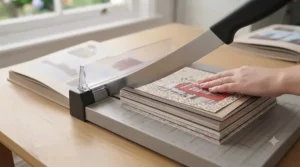
Guillotine for Office Use vs Craft Trimmer: Which Do You Actually Need?
It’s a genuinely common question, especially for anyone setting up a shared home craft-and-office space: is a dedicated guillotine for office use different from a scrapbooking trimmer, and does it matter which you buy? The honest answer is that the core mechanism is often identical — both use a hinged or sliding blade to produce a straight cut — but the design priorities diverge. Office-oriented guillotines like the Amazon Basics Paper Trimmer Cutter are built around handling everyday printer paper and modest document stacks reliably and cheaply, with less emphasis on 12×12 alignment guides or patterned-paper clamps.
Craft-specific trimmers, by contrast, are engineered around the realities of scrapbooking: full 12-inch square sheets, textured or coated cardstock that can slip more than plain paper, and repeat precision for matching layout elements. If your usage genuinely splits between paperwork and craft projects, a dual-purpose guillotine is the pragmatic choice — you’re trading some craft-specific convenience for one tool instead of two. But if scrapbooking or card making is a serious, regular hobby, a purpose-built craft trimmer like the Tonic Studios Guillotine Maxi Trimmer earns its keep through fewer slipped cuts and faster alignment on the paper sizes you actually use.
Paper Trimmers for Card Making
Card making has different demands from full-page scrapbooking, and it’s worth choosing your trimmer with that in mind rather than defaulting to whatever handles 12×12 sheets best. Cards are typically built from smaller pieces — A6 or A5 card blanks, layered mats, and small decorative panels — so a compact guillotine like the Tonic Studios Tim Holtz Mini Guillotine often suits the workflow better than a full-size 12-inch trimmer, simply because you’re not wrestling a large sheet through a trimmer built for a different scale.
Precision also matters more in card making than in scrapbooking, because layered card fronts show every millimetre of misalignment far more obviously than a busy scrapbook page does. This is where a fixed edge guide and a genuinely sharp blade earn their keep — a slightly frayed edge on a scrapbook photo mat is barely noticeable, but the same fray on a card’s front panel stands out immediately. For crafters producing cards in batches, whether for a small business or just birthdays throughout the year, the higher sheet capacity of the Westcott TrimAir Paper Trimmer becomes genuinely useful, letting you cut several identical card blanks in one pass rather than repeating the same single cut over and over.
What to Expect: Real-World Performance Beyond the Spec Sheet
Spec sheets tell you cutting length and sheet capacity, but they rarely tell you what a trimmer actually feels like in daily use. In practice, enclosed bypass trimmers like the Fiskars SureCut Precision Trimmer feel noticeably lighter and faster for quick single cuts, but you’ll feel resistance building as soon as you push past their comfortable sheet limit — that resistance is your cue to stop rather than force it. Guillotine trimmers, by contrast, give a more satisfying single-motion cut on thicker stock, but they demand a flat, stable surface to avoid the base rocking mid-cut.
What the spec sheet won’t tell you is how much blade maintenance affects perceived quality over time: a brand-new budget trimmer and a brand-new premium trimmer can feel remarkably similar on day one, but by month six, the difference in blade retention becomes obvious. This is really where the Dahle 508 Personal Rotary Trimmer‘s self-sharpening mechanism separates itself — the cut quality on month twelve is close to the cut quality on day one, which simply isn’t true of trimmers with fixed, non-sharpening blades.
Long-Term Cost & Maintenance: Blades, Mats and Replacement Parts
The upfront price of a trimmer is only part of its real cost. Non-sharpening blades — the type found in most guillotine-style craft trimmers, including the Tonic Studios Guillotine Maxi Trimmer and We R Memory Keepers Cinch Stack Cutter — typically need replacing every six to eighteen months under regular use, and replacement blade packs generally run somewhere in the £5-£15 range depending on brand. Self-sharpening rotary trimmers like the Dahle 508 Personal Rotary Trimmer largely avoid this recurring cost, which is a meaningful factor if you’re calculating cost-per-use over several years rather than judging purely on sticker price.
There’s also a longevity angle worth considering if any of your projects are meant to last: if you’re preserving family photos or documents within your scrapbook pages, it’s worth knowing how paper permanence actually works — official guidance on preparing paper records for long-term storage reinforces that the paper stock itself, not just the trimmer, determines whether a project holds up over decades. Beyond blades and paper choice, factor in occasional replacement of cutting mats beneath guillotine blades on some models, and budget a small annual sum — typically under £20 across most trimmer types — for keeping your setup performing at its best.
FAQ
❓ What's the difference between a paper trimmer and a guillotine?
❓ Can a paper trimmer cut thick cardstock?
❓ How often should I replace my trimmer blade?
❓ Is a rotary trimmer better than a guillotine for scrapbooking?
❓ What size paper trimmer do I need for scrapbooking?
Conclusion
Choosing the right paper trimmer for scrapbooking really comes down to matching the tool to your actual projects rather than chasing the highest spec on paper. If you’re working primarily with full 12×12 sheets, the Tonic Studios Guillotine Maxi Trimmer fits that job description precisely; if card making is your main focus, the compact precision of the Tonic Studios Tim Holtz Mini Guillotine makes more practical sense. Batch crafters and anyone layering thicker materials will get real, measurable value from the We R Memory Keepers Cinch Stack Cutter‘s stack capacity, while anyone planning to use their trimmer daily for years should seriously weigh the long-term economics of the Dahle 508 Personal Rotary Trimmer‘s self-sharpening blade against the recurring cost of replacement blades elsewhere.
For a genuinely dual-purpose household tool that handles both craft projects and everyday paperwork, the Amazon Basics Paper Trimmer Cutter remains a sensible, budget-friendly pick, and the Fiskars SureCut Precision Trimmer and Westcott TrimAir Paper Trimmer each fill their own niches — light everyday use and high-volume batch cutting respectively. Whichever you choose, prioritise a trimmer that matches your actual cutting length, sheet capacity, and blade maintenance appetite over one that simply looks impressive in a listing photo.
Recommended for You
- Craft Scissors for Kids: 7 Safest Picks amp
- 7 Best Poster Paint for Kids Sets to Try in 2026
- Best Paint Brush Set Under £15: 7 UK Picks for 2026
Disclaimer: This article contains affiliate links. As an Amazon Associate, I earn from qualifying purchases. If you purchase products through these links, we may earn a small commission at no additional cost to you.
✨ Found this helpful? Share it with your friends! 💬🤗
