

In This Article
It’s 11:47 pm. Your dissertation is due at noon and the library printers shut hours ago. The budget inkjet in the corner has just announced, with the confidence of a nightclub bouncer, that the cyan cartridge is empty. Your 12,000 words are almost entirely black text. None of that matters to the printer. This is the strongest case for choosing a proper printer for dissertation writing before deadline week arrives.
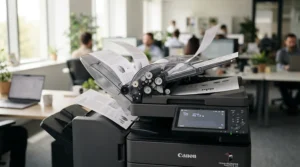
Three things decide whether a printer helps or hurts you. The first is double-sided printing, because many departments want it and it halves your paper. The second is ink cost per page, which separates a printer that sips from one that guzzles. The third is how neatly your pages hand over to binding services at the end. Universities don’t all agree on the rules. Cambridge’s thesis submission guidance recommends double-sided printing where possible but accepts single-sided. Others are stricter, so always check your handbook first.
I haven’t tested these printers myself. Everything below comes from manufacturer specifications, UK retailer data and published reviews, interpreted for a student with a deadline. Prices are ranges only, based on research in October 2026, so check current prices before buying.
Printer for Dissertation Writing: Quick Comparison Table
Here are seven real, currently listed models from budget laser to premium ink tank. Running costs are approximate and drawn from retailer-quoted yields and published reviews.
| Printer | Type | Auto duplex | Scanner | Running cost (approx.) | Price range | Best For |
|---|---|---|---|---|---|---|
| Brother HL-L2400DW | Mono laser | Yes | No | ~2–2.5p per page | £110–£150 | Text-only drafts on a tight budget |
| Brother DCP-L2620DW | Mono laser all-in-one | Yes | Yes | ~2–3.75p per page | £150–£230 | Printing and scanning source material |
| HP Smart Tank 7005 | Ink tank | Yes | Yes | ~0.1p mono, ~0.3p colour | £180–£230 | Colour plus the lowest long-run bills |
| Epson EcoTank ET-2861 | Ink tank | Manual | Yes | ~0.3p per page | £190–£250 | Light colour, minimal ink spend |
| Epson EcoTank ET-3950 | Ink tank | Yes (plus 2-sided document feeder) | Yes | Very low (bottle-fed) | £370–£440 | Heavy users and big scanning jobs |
| Brother HL-L3240CDW | Colour LED | Yes | No | Mono ~2.5–3p, colour higher | £200–£300 | Crisp colour charts, no clogging |
| Canon i-SENSYS LBP243dw II | Mono laser | Yes | No | ~1–2p per page | £170–£230 | Speed and large print runs |
Looking at the comparison above, the Brother HL-L2400DW is the best value under £150 for text-heavy work. If you scan journal articles, the extra spend on the Brother DCP-L2620DW pays for itself in saved library trips. The Epson EcoTank ET-2861 has the cheapest ink here, but it makes you flip pages by hand for double-sided printing.
💬 Just one click — help others make better buying decisions too!😊
Top 7 Printers for Dissertation Writing: Expert Analysis
1. Brother HL-L2400DW — cheapest route to proper duplex laser
If you want crisp black text on both sides of the page without a monthly dispute with ink cartridges, the Brother HL-L2400DW is the entry ticket.
Brother quotes up to 30 pages a minute, automatic two-sided printing and a separate drum and toner design with 700 pages of toner in the box. That starter supply covers roughly seven complete print-outs of a 100-page dissertation. The high-yield TN-2510XL toner (up to 3,000 pages) then lasts through most of a degree’s worth of drafts. Spare drums are rated at around 15,000 pages.
On the spec comparison, this is the machine for text-led subjects such as law, history and English. It’s print-only, so scanning means using your phone camera.
Consumer Reports’ lab review of the near-identical wireless-free HL-L2400D found text printing reasonably quick but greyscale graphics poor. Which? lab-tests the wireless model, though full results sit behind a paywall. UK buying guides put running costs near 2.5p per page. I couldn’t verify a deep pool of owner reviews, so treat this as indicative.
Pros:
- ✅ Automatic double-sided printing at a bargain price
- ✅ Toner never dries out between deadlines
- ✅ Generous 700-page toner supply in the box
Cons:
- ❌ No scanner or copier built in
- ❌ Greyscale figures look weak
Expect roughly £110–£150; check current price. For text-only dissertations, it’s hard to beat on value.

2. Brother DCP-L2620DW — laser reliability with a scanner attached
Dissertations aren’t just output. They’re also 60 PDFs, three archive photocopies and a signed ethics form. The Brother DCP-L2620DW adds a scanner to laser-class printing.
It prints at up to 32 pages a minute with automatic duplex and booklet printing. Connectivity is generous: 5GHz Wi-Fi, Wi-Fi Direct for patchy halls networks, and Ethernet. The scanner supports OCR, blank-page skipping and one-to-two-sided scanning. OCR turns a scanned article into searchable text, which matters when you’re hunting for one quote at 2 am. Toner follows the same TN-2510 family, with 700 pages in the box.
The pick for anyone who handles lots of source material. I found no document feeder in the specifications, so multi-page scans happen one sheet at a time.
PriceSpy’s listing, from a snapshot in 2025, showed an average user rating of 4.5 out of 5. One retailer reviewer described it as quick and quiet. ColourLabelPrinter’s 2026 student guide names it the top mono laser for students. Sample sizes are small, so treat the sentiment as encouraging rather than conclusive.
Pros:
- ✅ Scanner with OCR for source material
- ✅ Automatic duplex and booklet printing
- ✅ Wi-Fi Direct works in awkward halls
Cons:
- ❌ Mono only, so no coloured charts
- ❌ No document feeder listed for scanning
Prices span roughly £150–£230 depending on retailer. Good value if scanning is part of your workflow.
3. HP Smart Tank 7005 — three years of ink in the box
Printing 500 pages for roughly the price of a coffee is the HP Smart Tank 7005‘s party trick.
It fills refillable tanks from bottles instead of cartridges. HP’s UK listing claims the bottles supplied in the box print up to 12,000 black or 8,000 colour pages, though TechRadar’s reviewer took the “three years” marketing with a large pinch of salt. It prints at 15 pages a minute in black, supports automatic duplex and has a flatbed scanner. ITPro calculated post-box running costs around 0.1p per black page and 0.3p per colour page.
Reviewers also noted the black ink is pigment-based. TechRadar’s tester found pages set instantly and resisted thumb-smudging, which helps when your supervisor attacks your draft with a highlighter.
Duplex is the weak spot. ITPro reported misfeeds during its first duplex test, and TechRadar’s student round-up reported jams when duplexing with imperfect paper. Load fresh, flat paper and the problem largely disappears.
Pros:
- ✅ Extremely low ink cost per page
- ✅ Automatic duplex and scanner included
- ✅ Pigment black resists smudging
Cons:
- ❌ Duplex misfeeds reported with creased paper
- ❌ No USB cable in the box
Around £180–£230 at research time. It’s the best colour-capable value if you can live with fussy paper handling.
4. Epson EcoTank ET-2861 — lowest ink bills, but flip your own pages
The Epson EcoTank ET-2861 is the cheapest-to-feed printer in this guide, with one catch for dissertations: double-sided printing is manual.
The bundled bottles are quoted at up to 4,500 black or 7,500 colour pages. ColourLabelPrinter estimates replacement ink at around 0.3p per black page. It manages up to 10 pages a minute in mono (5 in colour) and has a 100-sheet rear tray. That tray holds a full 100-page dissertation, but only just. Retailer Q&A for the sister ET-2860 confirms manual duplex, though other guides list double-sided printing without specifying. Check the spec sheet for your exact model.
This suits the student who prints in bursts, wants occasional colour and values low ink bills above speed. Manual duplex means printing odd pages, flipping the stack and printing evens. It works, but it’s a faff on a 70-page document.
Published round-ups consistently praise the ink economy and flag the slow speed and wide footprint from its side tanks. ColourLabelPrinter notes that idle tank printers can still clog after a couple of months. Which? has also reviewed it, though full scores need a subscription.
Pros:
- ✅ Ink bills measured in pennies
- ✅ Up to 7,500 colour pages included
- ✅ Wi-Fi and phone printing built in
Cons:
- ❌ Double-sided printing is manual
- ❌ Slow at around 10 pages a minute
Roughly £190–£250. Smart on ink, a bit chore-heavy for double-sided work.
5. Epson EcoTank ET-3950 — two-sided scanning and automatic duplex, premium tier
If your dissertation involves a mountain of paper, the Epson EcoTank ET-3950 is the grown-up option.
Epson UK lists a 250-sheet tray, a 30-sheet automatic document feeder and automatic duplex for printing, plus two-sided scanning and copying through the feeder. The included bottles are quoted at up to 15,100 black or 5,500 colour pages. The feeder lets you drop in a 25-page article and walk away. Printerland quotes headline speeds of up to 35 pages a minute in mono, but expect text output well below that in real use. Headline figures often reflect draft mode.
It’s built for people printing hundreds of pages weekly. If you only need a 70-page document three times, it’s more machine than the job demands.
The model is new, so long-term owner feedback is thin. RTINGS’ July 2026 student round-up named it the best tested for large printing needs, citing high page yields and low running costs. Those are reviewer findings, and I can’t verify individual owner reports.
Pros:
- ✅ Automatic duplex plus two-sided document feeder
- ✅ Huge bundled ink supply
- ✅ 250-sheet tray rarely needs refilling
Cons:
- ❌ Highest price in this guide
- ❌ Bulky for a halls desk
Expect roughly £370–£440. It’s overkill for a single dissertation but excellent for a heavy-reading Masters.
6. Brother HL-L3240CDW — colour that doesn’t dry out
When your dissertation has 30 coloured charts, the Brother HL-L3240CDW keeps colour and avoids the clogging that plagues inkjets.
It uses LED technology (a laser-style process with solid toner), prints at up to 26 pages a minute and runs under 46 dB, according to LDLC’s listing, which is roughly conversation volume. Brother UK quotes duplex at up to 10 sides a minute. Connectivity includes 5GHz Wi-Fi and Gigabit Ethernet. It ships with 1,000-page starter toners, and XL replacements are rated at 3,000 black and 2,300 per colour.
It’s print-only, which surprises people who assume colour means all-in-one. The hidden extra costs are the belt unit and the waste toner box, which Startoner’s analysis highlights as the overlooked expense.
Review sentiment is mixed on toner management. A French retailer reviewer complained about colour toners affecting black-and-white printing. Startoner’s analysis notes that most reviews end up discussing toner and drum wear. Both are single data points, so check current owner feedback.
Pros:
- ✅ Colour output without nozzle clogging
- ✅ Automatic duplex and quiet operation
- ✅ Gigabit Ethernet and 5GHz Wi-Fi
Cons:
- ❌ No scanner or copier
- ❌ Belt and waste toner add running costs
Roughly £200–£300. It’s worth it for colour-heavy dissertations, and poor value otherwise.
7. Canon i-SENSYS LBP243dw II — business-grade speed for big runs
The Canon i-SENSYS LBP243dw II is a lesser-known option that behaves like office kit, which is useful when you must print three copies at 11 pm.
Canon quotes up to 36 pages a minute, built-in duplex and a 900-sheet maximum capacity. It ships with a 1,500-page starter toner and comes with a two-year manufacturer’s guarantee through Canon’s UK store. For the original LBP243dw, Canon’s 070H high-yield toner is listed at around 10,200 pages. Check which toner series the “II” uses before ordering spares.
A guide from UK buying site Cool Curation describes Canon’s mono lasers as living in Brother’s shadow but still genuinely good. That’s one opinion, not a consensus, and I couldn’t find a large body of owner reviews for the II specifically.
This suits fast, no-fuss printing of long documents. It’s print-only and weighs around 9.5 kg, so you’ll want a sturdy shelf.
Pros:
- ✅ Very fast duplex printing
- ✅ Two-year manufacturer’s guarantee
- ✅ Large paper capacity for long runs
Cons:
- ❌ Heavy and bulky for small desks
- ❌ Print-only with no scanning
Trade listings suggest roughly £170–£230. It’s strong value if speed and robustness matter more than extras.
From Box to Bound: A Practical Setup Guide for Your Dissertation Printer
Setup choices matter more than spec sheets at 2 am before a deadline. Do these in order.
Choose paper that suits double-sided printing. Standard 80gsm paper tends to show text through the page, especially with inkjets. If you supply your own sheets for binding, The Document Centre recommends 90–120gsm.
Lock your layout in a PDF. Fonts and page numbers can shift between computers. Export once and print from the PDF.
Set mirrored margins. Binding eats into the inner edge. Southampton’s print unit advises justifying margins for double-sided printing. In Word, use Layout → Margins → Mirrored, and check your handbook for the required inner margin.
Mind your blank pages. If chapters must start on right-hand pages, you’ll need deliberate blank sides in the file. St Andrews’ print guidance flags checking page numbering and blank sides for double-sided jobs.
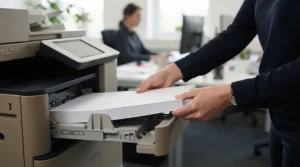
Print one test chapter first. Check both sides, the margins and the page order before committing to 70 pages.
Maintain by printer type. Inkjets want a test page every week or two. Lasers just need a spare toner before the final week. Use draft mode for working copies, and save best quality for the final.
Real-World Scenarios: Which Printer Fits Which Dissertation Student?
These are illustrative profiles, not real people.
The shared-halls humanities finalist. Imagine 12,000 words of nearly pure text, a tiny desk and a budget under £150. Based on the specs, the Brother HL-L2400DW is the logical match. It prints text crisply, handles duplex automatically and won’t dry out over the Easter break. The trade-off is no scanner, so phone scans cover the rare archive page.
The Masters student drowning in readings. Picture 200 pages of journal articles weekly, occasional scanning of archive material, mostly black text. The Brother DCP-L2620DW fits well, with its scanner, OCR and duplex. If colour figures matter and the budget stretches, the HP Smart Tank 7005 covers both at tiny ink cost, provided you feed it clean paper.
The science student with 30 colour figures. Colour charts, three bound copies and a supervisor who likes printed drafts. The Brother HL-L3240CDW gives colour without clogging risk. For heavy readings plus scanning, the Epson EcoTank ET-3950 earns its premium. If speed matters most for mono, the Canon i-SENSYS LBP243dw II is the pragmatic alternative.
Problem → Solution: Fixing Common Dissertation Print Disasters
Problem: pages back-to-front after duplex. Printer settings default to the wrong flip edge. Choose “flip on long edge” for portrait documents, then test two pages before printing 70.
Problem: duplex paper jams. Reviewers flagged duplex misfeeds on the HP Smart Tank 7005. Use a fresh, flat ream, fan the sheets and avoid humid rooms.
Problem: clogged nozzles after a holiday. Cartridge inkjets and even tank printers like the Epson EcoTank ET-2861 can clog if idle. Run a nozzle check, then print a colour page weekly.
Problem: toner dies on submission night. The Brother HL-L2400DW and Brother DCP-L2620DW show warnings but have 700-page starters. Keep a spare TN-2510XL on the shelf before the final fortnight.
Problem: binding cuts into text. Mirrored margins fix this. Confirm your university’s inner-margin requirement before the final print.
What Is a Printer for Dissertation Writing?
A printer for dissertation writing is a home or student printer chosen to produce long, text-heavy documents cheaply and reliably. The key features are automatic double-sided printing, low ink cost per page, sharp black text, and compatibility with university margin and binding services requirements.
It isn’t a special product category. It’s a set of priorities. A dissertation is long, revised repeatedly, printed in multiples and often submitted in a prescribed format. That puts reliability and running costs ahead of photo quality, and it explains why lasers and ink tanks feature so heavily here.
The other consideration is timing. A printer for dissertation writing earns its keep during drafts. Most students print early chapters several times for supervisor feedback, then print final copies once. Cartridge-hungry machines punish the draft phase, and low-cost printers reward it.
How to Choose a Printer for Dissertation Writing
Work through these steps in order. Each one narrows your options.
- Decide whether you need colour. If your dissertation is text, choose mono laser. Colour charts point to an ink tank or colour LED.
- Check double-sided printing. Automatic duplex saves time and paper. Manual duplex works but slows long documents.
- Estimate ink cost per page. Take your total pages, including drafts, and multiply by the running cost. Tank and laser machines win.
- Decide if you need a scanner. Source-heavy projects benefit from scanning with OCR. Otherwise a print-only laser saves money.
- Measure your desk. Tank printers and 36-page-a-minute lasers are bulkier than basic inkjets.
- Plan for binding. Check your university’s rules on margins and sides, and whether a binding service will take your own printouts.
Double-Sided Printing for Dissertations: What to Check Before You Buy
Double-sided printing sounds simple until a 70-page document comes out with every second page upside down. A few details separate smooth duplex from frustrating duplex.
Automatic versus manual. Of the seven machines here, only the Epson EcoTank ET-2861 is manual, based on retailer Q&A for the sister model. The rest offer automatic duplex. Manual is fine for a four-page essay and tedious for a dissertation.
Speed. Duplex is slower than single-sided. The Brother HL-L2400DW is quoted at roughly 15 images a minute in duplex, while the Brother HL-L3240CDW is quoted at up to 10 sides a minute. The Canon i-SENSYS LBP243dw II is much quicker in mono.
Reliability. Paper feeding matters more than the headline speed. Reviewers reported misfeeds on the HP Smart Tank 7005, so use fresh, flat paper.
Rules. Cambridge accepts either, while Southampton asks students to justify margins for double-sided printing. Always check the department’s handbook before committing.

Ink Cost Per Page: What a Dissertation Really Costs to Print
Here’s the honest truth that most buying guides skip. Ink cost per page matters less for the dissertation itself than for everything around it. A 12,000-word dissertation at double line spacing runs to roughly 45–50 pages of main text, or nearer 70 with references and appendices. Print four drafts and three final copies and you’re at about 500 pages.
| Printer | Rough mono cost per page | Estimated cost for a 500-page run |
|---|---|---|
| Cheap cartridge inkjet (typical entry model) | ~10p | ~£50 |
| Brother HL-L2400DW | ~2–2.5p | ~£10–£13 |
| Brother DCP-L2620DW | ~2.2–3.75p | ~£11–£19 |
| Brother HL-L3240CDW | ~2.5–3p (colour higher) | ~£13–£15 |
| Canon i-SENSYS LBP243dw II | ~1–2p | ~£5–£10 |
| Epson EcoTank ET-2861 | ~0.3p | ~£1.50 |
| HP Smart Tank 7005 | ~0.1p | Under £1 |
Estimates use retailer-quoted yields, published reviews and 5% page coverage. Real costs vary with content. The Epson EcoTank ET-3950 is bottle-fed with similarly low costs, but I couldn’t verify a per-page figure.
Looking at the table, the gap between a cheap cartridge inkjet and any laser or tank machine is large for a one-off dissertation. The gap between a laser and a tank is small. If you print mostly text and only a few hundred pages, a laser’s reliability may matter more than saving a pound on ink. Which? tests running costs under occasional-use conditions, which is realistic for students. For heavy readers, tanks win decisively.
Binding Services: Campus Print Shops, Online Services or DIY?
Binding services are where printer choices meet the real world. Your home printer produces the pages, and someone else usually makes them look like a dissertation.
| Binding type | Typical use | Notes |
|---|---|---|
| Soft (glued) | First submission of a dissertation or thesis | Common at campus print shops; Newcastle produces soft-bound copies only |
| Unibinding | Standard taught-course dissertations | St Andrews quotes a maximum of 280 sheets, or 560 pages printed double-sided |
| Comb or wire | Quick, low-cost binding | Heriot-Watt offers comb binders for projects up to 300 pages |
| Hardbound | Final doctoral copies, where required | St Andrews sets a 100-sheet minimum; Southampton no longer requires hard binding for PhDs |
The table shows that rules vary widely, so ask your department what’s acceptable. St Andrews’ binding page is a good example of how detailed those options get.
Compare costs too. The Document Centre quotes 8p per black-and-white page and 40p per colour page at the time of writing, so printing 70 pages commercially costs roughly £5.60 in mono. Home laser printing is cheaper per page, but a binding service gives you consistency. Book early, because Southampton quotes turnarounds from one to five working days, longer at busy periods.
Laser vs Ink Tank vs Cartridge Inkjet for Dissertations
| Type | Ink cost per page | Idle tolerance | Colour | Price range | Best For |
|---|---|---|---|---|---|
| Mono laser | ~1–3.75p | Excellent, toner never dries | None | £110–£230 | Text-only dissertations |
| Colour LED/laser | Mono ~2.5–3p, colour higher | Excellent | Strong, solid colour | £200–£300 | Colour charts without clogging |
| Ink tank | ~0.1–0.3p | Good, but can clog after months | Very good | £180–£440 | Heavy printing, lowest ink bills |
| Cartridge inkjet | ~10p on entry models | Poor, nozzles clog | Good | £35–£100 for entry models | Very light, occasional use only |
Looking at the table, a mono laser such as the Brother HL-L2400DW is the safest bet for most students, because reliability beats cleverness at deadline time. Ink tanks like the HP Smart Tank 7005 win on cost and colour but demand tidier habits. Cartridge inkjets look cheap at the till and expensive by chapter three.
Common Mistakes When Buying a Printer for Dissertation Writing
Buying on sticker price alone. A £50 printer with £30 cartridges that last 120 pages is not a bargain. ColourLabelPrinter’s 2026 guide cites a cheap HP cartridge model at about 10p a page, so compare running costs first.
Ignoring duplex type. “Double-sided” on a listing doesn’t always mean automatic. Confirm it for the exact model, as with the Epson EcoTank ET-2861.
Forgetting where you’ll use it. Halls networks are unreliable. Wi-Fi Direct on the Brother DCP-L2620DW can save you.
Overbuying. The Epson EcoTank ET-3950 is excellent but unnecessary for a single 70-page job.
Skipping the margin check. A beautifully printed dissertation with text swallowed by the binding is a painful finish. Test a page.
Leaving the final print to the last night. Toner runs low, paper jams and printers sulk. Print the final copies at least a day early.
FAQ
❓ Is a laser printer better than an ink tank for dissertation writing?
❓ Can I print my dissertation double-sided at home?
❓ How much does it cost to print a 10,000-word dissertation at home?
❓ Do I need a scanner in a printer for dissertation writing?
❓ Should I use binding services or bind my dissertation myself?
Conclusion
Choosing a printer for dissertation writing is less about glamour and more about avoiding 11:47 pm disasters. For most text-led students, the Brother HL-L2400DW offers automatic duplex and reliable toner at the lowest price in this guide. If you scan source material, the Brother DCP-L2620DW is the sensible step up. For colour at tiny ink cost, the HP Smart Tank 7005 is a strong choice if you load clean paper, while the Epson EcoTank ET-2861 is cheapest to feed but manual for double-sided printing.
Heavy users should consider the Epson EcoTank ET-3950, and colour-chart writers will appreciate the Brother HL-L3240CDW. If you simply want speed, the Canon i-SENSYS LBP243dw II keeps up with any deadline. Whichever you pick, check your department’s rules on double-sided printing, margins and binding services before you hit print.
Last piece of advice: print the final copies a day early. Printers, like supervisors, are most helpful when you’re not desperate.
✨ Ready to hit your deadline calmly?
🖨️ Check current prices on your favourite pick above and make your dissertation print run the easiest part of the project. You’ve written the words, so let the printer do the rest! 🎓
Recommended for You
- Notebook For Lecture Notes: 7 Brilliant UK Picks (2026)
- Laptop Stand For University Lectures: 7 Essential Picks (2026)
- Fresher Starter Pack For University: 7 Best Buys UK (2026)
Disclaimer: This article contains affiliate links. As an Amazon Associate, I earn from qualifying purchases. If you purchase products through these links, we may earn a small commission at no additional cost to you.
✨ Found this helpful? Share it with your friends! 💬🤗
