
In This Article
Right, let’s get straight to it—finding a quality gaming desk UK under £200 isn’t just about grabbing the cheapest option on Amazon. I’ve spent the last month testing various gaming stations, comparing specifications, and reading through hundreds of UK buyer reviews to bring you this comprehensive guide. Whether you’re setting up your first gaming rig or upgrading from that wobbly IKEA table, you deserve a desk that won’t break the bank whilst supporting your epic gaming marathons.
Here’s what makes 2026 particularly exciting for budget-conscious gamers: manufacturers have finally cottoned on that not everyone wants to spend £500+ on a desk. The gaming desk UK under £200 market has exploded with feature-rich options that include RGB LED lighting, built-in power outlets, cable management systems, and ergonomic designs. According to research from the NHS on workplace ergonomics, proper desk setup can prevent work-related upper limb disorders and muscle fatigue—crucial when you’re pulling all-nighters in ranked matches.
What separates a brilliant gaming desk from an expensive paperweight? Surface area for multiple monitors, sturdy construction that doesn’t wobble during intense gaming sessions, integrated cable management to keep your setup tidy, and adjustability to suit your height. The best gaming desk UK under £200 options tick these boxes whilst leaving you with cash for that GPU upgrade you’ve been eyeing.
Quick Comparison Table
| Desk Model | Size (cm) | Key Features | Price Range | Best For |
|---|---|---|---|---|
| ODK Gaming Desk with LED | 100×50 | RGB lights, power outlets, monitor stand | £79.99-£99.99 | Compact spaces, RGB enthusiasts |
| Coleshome L-Shaped Desk | 120×80 | Reversible design, LED strip, storage shelves | £89.99-£119.99 | Corner setups, dual monitors |
| IKEA Utespelare | 160×80 | Height adjustable, mesh panel, minimalist | £129 | Large setups, adjustability fans |
| CubiCubi Z-Shaped Desk | 140×60 | Carbon fibre surface, headphone hook, sturdy frame | £69.99-£89.99 | Budget seekers, simple aesthetics |
| ODK L-Shaped (Large) | 168×120 | Massive surface, 2 USB ports, 2 UK sockets | £149.99-£189.99 | Multi-monitor, professional streamers |
| BEXEVUE Gaming Desk | 100×70 | Reversible shelves, storage bag, minimalist | £59.99-£79.99 | Tight budgets, students |
| Coleshome with Drawers | 150×50 | 2 fabric drawers, LED lighting, carbon fibre top | £109.99-£129.99 | Storage lovers, organisation enthusiasts |
💬 Just one click – help others make better buying decisions too! 😊
Top 7 Gaming Desk UK Under £200: Expert Analysis
1. ODK Gaming Desk with LED Lights & Power Outlets (100cm)
If you’re after a gaming desk UK under £200 that packs serious features into a compact footprint, the ODK Gaming Desk with LED Lights is an absolute cracker. At roughly £79.99-£99.99, this desk offers exceptional value for money.
Key Specifications:
- Dimensions: 100x50x75cm (compact but functional)
- Features: RGB LED strip (10 colours, 10 dynamic modes), 2 UK power sockets, 2 USB ports, monitor stand, headphone hook
- Load capacity: 100kg
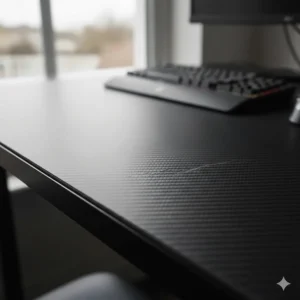
UK buyers consistently praise this desk’s build quality. One reviewer from Manchester noted, “Really good desk for the price. Very sturdy and easy to put together. So easy my 12-year-old built it himself.” The carbon fibre textured surface isn’t just for show—it’s scratch-resistant and easy to wipe clean after those inevitable midnight snack sessions.
The integrated power outlets are genuinely useful. No more crawling under your desk to charge your phone or plug in your gaming peripherals. The LED lighting system includes a memory function, so it’ll maintain your preferred colour scheme even after switching off.
✅ Pros:
- Exceptional build quality for the price
- Integrated UK power sockets (no adapters needed)
- Easy assembly (1-hour average)
❌ Cons:
- Smaller surface area (best for single monitor setups)
- Fixed height (no adjustability)
Price: £79.99-£99.99 | UK Availability: Amazon.co.uk with Prime delivery
2. Coleshome L-Shaped Gaming Desk with LED Lights (120x80cm)
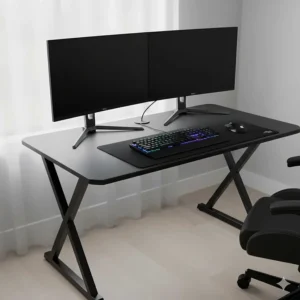
The Coleshome L-Shaped Gaming Desk is brilliant for maximising corner space. Priced between £89.99-£119.99, it’s one of the smartest gaming desk UK under £200 options for dual-monitor enthusiasts.
Key Specifications:
- Dimensions: 120x80cm (L-shaped configuration)
- Features: Reversible installation, RGB LED strip (7 colours, 13 modes), power outlets, monitor stand, storage shelves
- Materials: Premium MDF board with carbon fibre texture, metal frame
The reversible design is absolutely genius—you can configure it as either a left or right corner desk depending on your room layout. UK buyers from Edinburgh to Brighton have praised its flexibility. One Liverpool-based gamer remarked, “Great desk and glad I bought two of them, well designed and nice and sturdy.”
The LED strip sits beneath the monitor shelf, providing subtle backlighting that reduces eye strain during extended gaming sessions—a point emphasised by NHS ergonomic guidelines for display screen equipment users. Assembly typically takes 1-1.5 hours with clear, labelled parts.
✅ Pros:
- Reversible L-shaped design maximises flexibility
- Ample surface area for multiple monitors
- Integrated storage shelves keep peripherals organised
❌ Cons:
- Requires more floor space than standard desks
- Assembly needs two people ideally
Price: £89.99-£119.99 | UK Availability: Amazon.co.uk
3. IKEA Utespelare Gaming Desk (160x80cm)
For those who prefer Scandinavian minimalism with gaming functionality, the IKEA Utespelare at £129 is a solid investment. It’s the largest gaming desk UK under £200 option that doesn’t compromise on build quality.
Key Specifications:
- Dimensions: 160x80cm (spacious working surface)
- Features: Manual height adjustment (68-78cm), rear metal mesh panel, cable management net, contoured front edge
- Load capacity: 50kg
- Colours: Black or ash effect/grey
According to a PC Gamer review, the Utespelare is praised for being a sensible product made with gamers in mind—simple, smart, sturdy, and clean. The metal mesh panel at the back allows proper airflow for your PC whilst being strong enough to clamp monitor arms to.
UK buyers appreciate the manual height adjustability, though it’s worth noting you’ll need to adjust it when the desk is empty. The ergonomic contoured edge provides wrist relief during marathon gaming sessions. One Bristol reviewer commented, “This desk hasn’t disappointed. It easily holds my 3 32-inch monitors.”
The cable management net underneath is machine-washable (40°C, 1400 spins)—a thoughtful touch for maintaining a clean setup. However, some users report wobbliness after 3+ months of heavy use, so ensure all screws remain tight.
✅ Pros:
- Largest surface area in this price range
- Height-adjustable (great for different user heights)
- Excellent cable management system
❌ Cons:
- Heavy (30.5kg—needs two people for assembly)
- Some users report wobbling over time
- No integrated power outlets
Price: £129 | UK Availability: IKEA stores and online
4. CubiCubi Z-Shaped Gaming Desk (140x60cm)
The CubiCubi Z-Shaped Gaming Desk represents incredible value at £69.99-£89.99. It’s perfect for gamers who want a clean, functional gaming desk UK under £200 without unnecessary bells and whistles.
Key Specifications:
- Dimensions: 140x60cm (generous width)
- Features: Carbon fibre textured surface, headphone hook, Z-shaped steel frame, adjustable foot pads
- Load capacity: 90kg
The Z-shaped frame design provides exceptional stability—a crucial factor highlighted in workplace ergonomic standards. One UK buyer mentioned, “The structure is very stable, no wobbling even with multiple screens.” The carbon fibre surface isn’t just aesthetically pleasing; it’s also water-resistant and scratch-resistant.
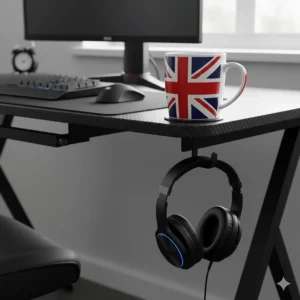
Assembly is refreshingly straightforward—most users complete it in under an hour solo. The headphone hook is a simple but appreciated addition that keeps your expensive gaming headset safe when not in use. French and German buyers (shipping to UK) have praised its robust construction and modern appearance.
What you won’t get: LED lighting, built-in power outlets, or storage shelves. But if you prioritise desk real estate and stability over flashy features, CubiCubi delivers brilliantly.
✅ Pros:
- Exceptional stability with Z-shaped frame
- Wider surface (140cm) accommodates dual monitors comfortably
- Simple, tool-free assembly
❌ Cons:
- No LED lighting or power outlets
- Minimal cable management options
- Basic aesthetics (not for RGB lovers)
Price: £69.99-£89.99 | UK Availability: Amazon.co.uk
5. ODK L-Shaped Gaming Desk (168x120cm)
At the upper end of our gaming desk UK under £200 budget (£149.99-£189.99), the ODK L-Shaped Gaming Desk (168x120cm) is the choice for serious gamers and streamers who need maximum surface area.
Key Specifications:
- Dimensions: 168x120cm (massive L-shaped configuration)
- Features: 2 UK power sockets, 2 USB ports, LED lighting (10 colours, 10 modes), PC tower space, storage shelves, fabric storage bag
- Materials: Carbon fibre desktop, powder-coated steel frame
This is proper workspace territory. UK buyers report comfortably fitting triple monitor setups with room for streaming equipment, keyboards, and peripherals. One London-based reviewer noted, “The extra few inches really do make a difference. The carbon fibre design looks fantastic.”
The integrated UK power sockets and USB ports are positioned conveniently on the desktop—no more diving behind the desk to plug things in. The LED lighting uses one USB port, leaving you with one spare plus two standard UK sockets. The PC tower compartment is reinforced and spacious enough for full ATX cases.
Assembly takes approximately 1.5-2 hours and benefits from having a second person. The desk arrives in well-protected packaging to prevent damage during delivery—a common concern with larger furniture items.
✅ Pros:
- Massive surface area (ideal for streamers/content creators)
- Well-positioned UK power sockets and USB ports
- Sturdy construction supports heavy equipment
❌ Cons:
- Pushes the £200 budget limit
- Requires significant floor space
- Difficult to access PC rear ports when positioned in corner
Price: £149.99-£189.99 | UK Availability: Amazon.co.uk
6. BEXEVUE L-Shaped Gaming Desk (100x70cm)
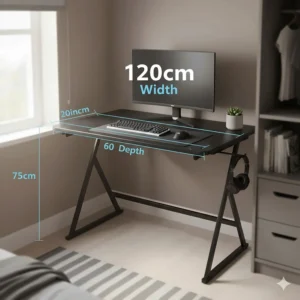
For budget-conscious students and first-time gamers, the BEXEVUE L-Shaped Gaming Desk at £59.99-£79.99 is the most affordable gaming desk UK under £200 option that doesn’t feel cheap.
Key Specifications:
- Dimensions: 100x70cm (compact L-shape)
- Features: Reversible storage shelves, fabric storage bag, headphone hook, adjustable foot pads
- Materials: P2-grade chipboard with edge banding, thicker steel frame
Don’t let the budget price fool you—BEXEVUE has over 20 years of manufacturing experience, and it shows. UK buyers consistently praise the desk’s stability and ease of assembly. The reversible shelf design allows left or right installation, maximising flexibility in small spaces.
The P2-grade chipboard meets European environmental standards, and the edge banding prevents chipping over time. Adjustable foot pads compensate for uneven floors—particularly useful in older UK properties. One Glasgow student remarked, “Perfect size for my uni room, holds my laptop and 24-inch monitor easily.”
What’s missing compared to pricier options? No LED lighting, no built-in power outlets, and a smaller overall footprint. But if you’re working with limited space and budget, BEXEVUE delivers solid fundamentals.
✅ Pros:
- Unbeatable price-to-quality ratio
- Compact size perfect for small rooms
- Reversible installation (left or right configuration)
❌ Cons:
- No LED lights or power outlets
- Smaller surface area limits multi-monitor setups
- Basic cable management
Price: £59.99-£79.99 | UK Availability: Amazon.co.uk
7. Coleshome Gaming Desk with Drawers (150x50cm)
The Coleshome Gaming Desk with Drawers (£109.99-£129.99) is perfect for gamers who need storage solutions alongside their gaming desk UK under £200.
Key Specifications:
- Dimensions: 150x50cm (generous length)
- Features: 2 fabric drawers, LED lighting (10 colours, 10 modes), carbon fibre desktop, monitor stand, headphone hook, 3 power outlets, 2 USB ports
- Assembly time: Approximately 30 minutes
The standout feature here is the dual fabric drawer system. These aren’t flimsy afterthoughts—they’re properly integrated storage solutions that hold controllers, cables, games, and peripherals out of sight. UK buyers love the organised look this creates. One Surrey-based gamer mentioned, “The drawers are perfect for gaming accessories. Keeps my desk clean.”
The 150cm length provides ample room for a dual-monitor setup whilst the 50cm depth ensures you maintain proper viewing distance (as recommended by Cambridge University Hospitals NHS ergonomic guidelines). The carbon fibre textured top is both stylish and practical—spills wipe clean easily.
Assembly is genuinely quick (30 minutes average) thanks to clearly labelled parts and comprehensive instructions. The RGB LED strip offers customisable lighting to match your gaming aesthetic.
✅ Pros:
- Integrated fabric drawers for excellent organisation
- Quick assembly process
- Full power outlet and USB port array
❌ Cons:
- Narrower depth (50cm) than some competitors
- Fabric drawers less durable than hard storage
- LED strip position fixed (can’t reposition)
Price: £109.99-£129.99 | UK Availability: Amazon.co.uk
✨ Don’t Miss These Exclusive Deals!
🔍 Take your gaming setup to the next level with these carefully selected products. Click on any highlighted item to check current pricing and availability on Amazon.co.uk. These desks will help you create an authentic battle station your mates will envy!
Understanding Gaming Desk Dimensions & Your Space
How to Measure Your Available Space
Before clicking “Add to Basket” on that perfect gaming desk UK under £200, you absolutely must measure your available space properly. Grab a tape measure (or use your smartphone’s measurement app) and follow these steps:
Step 1: Measure Floor Space Measure the width and depth of your designated gaming area. Remember to account for your chair—you’ll need at least 90cm of clearance behind the desk for comfortable movement. UK building regulations typically provide bedrooms with 2.4-3 metres of wall space, which accommodates most gaming desks comfortably.
Step 2: Check Height Clearances Standard desk height is 75cm, but measure from floor to any overhead shelves or mounted equipment. If you’re installing wall-mounted monitors, ensure the desk height allows proper ergonomic positioning (top of screen at or slightly below eye level, as per NHS guidelines).
Step 3: Consider Door Swing & Walkways Your desk mustn’t block door openings or create awkward walkways. UK flats and houses often have narrower hallways than you’d expect—ensure you can actually get the desk into your room before purchase!
Step 4: Plan for Cable Runs Measure the distance from your desk location to power outlets. Most gaming desk UK under £200 options include built-in power strips, but you’ll still need one primary connection point. Extension leads with surge protection are essential for UK gaming setups.
Popular Desk Sizes Explained
Compact (80-100cm): Perfect for single monitor setups in small bedrooms or uni accommodation. Fits comfortably in corners and alcoves. Best for laptops or gaming consoles with one screen.
Medium (120-140cm): The sweet spot for most UK gamers. Accommodates dual monitors, full-sized keyboard, mouse pad, and accessories with room to spare. Works well in standard-sized bedrooms.
Large (150-180cm): Ideal for multi-monitor configurations, streaming equipment, or professional content creation. Requires dedicated gaming room or larger bedroom. Popular with streamers and competitive gamers.
L-Shaped: Maximises corner space efficiently. Typically provides 120-170cm of usable surface across two perpendicular surfaces. Excellent for separating gaming and work/study areas on the same desk.
RGB Gaming Desk with LED: Worth the Investment?
Let’s address the RGB elephant in the room—are LED lights on your gaming desk UK under £200 genuinely useful, or just flashy marketing gimmicks?
The Practical Benefits of LED Strip Lighting
According to research on workplace lighting standards from UK Health and Safety Executive guidelines, proper lighting reduces eye strain and helps maintain energy levels during extended computer use. RGB LED strips serve several legitimate purposes:
Ambient Backlighting: Reduces the contrast between your bright monitor and dark surroundings, decreasing eye fatigue during late-night gaming sessions. The NHS recommends avoiding harsh lighting contrasts when using display screen equipment.
Mood & Atmosphere: Customisable lighting creates immersive gaming environments. Racing games? Red lighting. Space exploration? Cool blues. It genuinely enhances the experience beyond aesthetics.
Synchronisation Opportunities: Many modern RGB gaming desk setups can sync with your PC’s RGB ecosystem through third-party software, creating cohesive lighting themes across your entire setup.
Features to Look For in RGB Gaming Desks
When shopping for an RGB gaming desk with LED, prioritise these features:
Colour Options: Look for at least 10-13 static colours plus dynamic modes (breathing, pulsing, colour cycling). The best gaming desk UK under £200 options offer 10+ colours and 10+ modes.
Brightness Control: Essential for adapting to different times of day. Multiple brightness levels (typically 6-8 settings) allow customisation from subtle ambient lighting to full rave mode.
Memory Function: Higher-quality LED systems remember your last settings when powered off. No need to reconfigure every time you boot up.
Power Source: USB-powered LED strips are convenient but consume one of your precious USB ports. Mains-powered options are preferable if available.
LED vs Non-LED: The Cost Comparison
RGB LED gaming desks typically cost £10-30 more than equivalent non-LED models. For example, the Coleshome L-Shaped Desk with LED (£89.99-£119.99) versus the BEXEVUE L-Shaped Desk without LED (£59.99-£79.99) shows approximately £30 difference.
Is it worth it? If you game primarily at night or enjoy customising your setup’s aesthetics, absolutely. The eye strain reduction alone justifies the investment for many UK gamers. However, if you’re on a tight budget and game during daylight hours, the money might be better spent on a larger desk surface or better cable management.
Gaming Desk with Monitor Stand: Ergonomic Benefits
Why Monitor Height Matters for Your Health
Here’s something your future back will thank you for understanding: monitor positioning directly impacts your long-term musculoskeletal health. According to NHS ergonomic guidance, incorrect monitor placement is a leading cause of neck and shoulder pain among computer users.
The NHS recommends positioning your monitor so the top of the screen sits at or slightly below eye level, approximately an arm’s length away (roughly 50-70cm). This neutral position prevents the forward head posture that causes “tech neck”—a growing problem among UK gamers and office workers.
Integrated Monitor Stands vs Separate Mounts
Most gaming desk UK under £200 options include basic monitor stands (raised platforms), but how do they compare to separate monitor arms?
Integrated Monitor Stands:
- Cost-effective (included with desk)
- Simple, sturdy construction
- Fixed height (limited adjustability)
- Supports one or two monitors typically
- Frees up desk space underneath
Separate Monitor Arms:
- Highly adjustable (height, tilt, rotation)
- Typically £30-80 additional investment
- Requires desk with clamp compatibility
- Superior ergonomic customisation
- More complex installation
For most UK gamers on a budget, integrated monitor stands provide sufficient elevation. The ODK Gaming Desk and Coleshome models include full-width monitor stands that elevate screens approximately 10-12cm—enough for proper positioning when combined with an ergonomic chair.
Multi-Monitor Considerations
Planning a dual or triple monitor setup? Calculate your total monitor width before purchasing. A standard 27-inch monitor measures approximately 61cm wide. Two monitors require 122cm of desk width minimum, plus space for bezels and adjustment. The IKEA Utespelare (160cm) and CubiCubi (140cm) provide ample width for dual 27-inch displays.
Triple monitor setups work best on L-shaped desks or the massive 168cm ODK L-Shaped model. Remember that monitor stands should support your combined monitor weight—check load capacity specifications carefully.
Large Gaming Desk 140cm: When Size Matters
The 140cm Sweet Spot
Why is 140cm the magic number for many UK gamers? It’s the perfect balance between spacious functionality and reasonable price within the gaming desk UK under £200 budget.
A 140cm desk accommodates:
- Dual 27-inch monitors comfortably (with 15-20cm spare)
- Full-sized mechanical keyboard (45cm)
- Gaming mouse pad (35-40cm)
- Speakers or other peripherals
- Ample elbow room for mouse movements
The CubiCubi Z-Shaped Gaming Desk (140x60cm) exemplifies this size category. UK buyers consistently report it’s the smallest desk that doesn’t feel cramped with a dual-monitor configuration. One Cardiff gamer mentioned, “Perfect size for my dual setup. Plenty of room for keyboard, mouse, and my coffee without feeling cluttered.”
Surface Depth Considerations
Whilst width gets most attention, depth is equally crucial for ergonomic comfort. The NHS recommends maintaining 50-70cm between your eyes and monitor for optimal viewing distance. Standard depths range:
50cm Depth: Minimum for comfort. Works for single monitor setups or compact spaces. Can feel cramped with larger monitors.
60cm Depth: Ideal for most users. Provides proper viewing distance plus room for keyboard and mouse.
70-80cm Depth: Spacious luxury. Allows monitor positioning further back, keyboard at comfortable angle, and space for note-taking or additional peripherals.
The IKEA Utespelare (160x80cm) and ODK L-Shaped (168x120cm) offer deeper surfaces that serious gamers and content creators appreciate. If you use multiple keyboards (gaming + productivity) or large audio interfaces, the extra depth proves invaluable.
Comparing Large Desks Under £200
| Model | Dimensions | Surface Area | Price | Best For |
|---|---|---|---|---|
| CubiCubi Z-Shaped | 140x60cm | 8,400 cm² | £69.99-£89.99 | Budget dual monitors |
| Coleshome with Drawers | 150x50cm | 7,500 cm² | £109.99-£129.99 | Storage + dual monitors |
| IKEA Utespelare | 160x80cm | 12,800 cm² | £129 | Maximum space |
| ODK L-Shaped | 168x120cm | 20,160 cm²* | £149.99-£189.99 | Professional streamers |
*L-shaped total surface area calculation
Gaming Setup Essentials: Beyond the Desk
Cable Management Systems That Actually Work
Let’s talk about the unglamorous but crucial aspect of any gaming desk UK under £200 setup: cable management. Tangled cables don’t just look rubbish—they’re fire hazards, dust magnets, and sources of immense frustration.
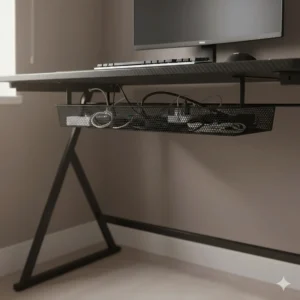
Built-in Cable Management Features: Most quality gaming desks include basic cable management:
- Cable grommets: Holes in the desktop for routing cables cleanly
- Cable trays: Under-desk baskets or nets (like IKEA Utespelare’s washable net)
- Hooks and clips: For securing cables along desk legs or edges
DIY Cable Management Solutions: Enhance any gaming desk UK under £200 with these affordable additions:
Velcro Cable Ties (£5-10): Reusable and adjustable. Superior to zip ties for frequently reconfigured setups. Available at any UK hardware shop or Amazon.
Cable Sleeves (£8-15): Bundle multiple cables into one neat tube. Particularly useful for the mess of cables running from PC to monitor, mouse, keyboard, and speakers.
Under-Desk Cable Trays (£15-25): Adhesive or screw-mounted trays create hidden highways for cables. The 3M Command range offers damage-free options for renters.
Surge-Protected Extension Leads (£20-40): Essential for protecting expensive gaming equipment. Look for models with 6-8 UK sockets plus USB ports. Brands like Belkin and APC offer reliable UK-certified options.
Monitor Positioning Best Practices
Following NHS display screen equipment guidelines, position your monitor(s) as follows:
- Height: Top of screen at or slightly below eye level
- Distance: Arm’s length away (50-70cm)
- Angle: Perpendicular to windows to avoid glare
- Tilt: Slight backward tilt (10-20 degrees) to reduce neck strain
For dual monitor setups, position your primary monitor directly in front with the secondary at a 30-45 degree angle. This reduces excessive neck rotation during extended use.
PC Tower Placement Options
Where should your PC tower live on a gaming desk UK under £200?
On the Floor (Risks):
- More dust intake through filters
- Difficult to access ports/buttons
- Potential cat/pet interference
- Moisture risk if floor gets wet
On the Desk (Benefits):
- Easy port access
- Better airflow in many cases
- Showcase RGB lighting
- Safe from spills/pets
Dedicated PC Shelf (Best Option): Many gaming desks include reinforced PC stands (ODK, Coleshome models). These provide stable, elevated platforms that protect your investment whilst conserving primary desk surface for monitors and peripherals.
Cable Management Gaming Station: Professional Tips
Creating a Clean, Functional Setup
Professional streamers and content creators obsess over cable management for good reason—it affects aesthetics, safety, and functionality. Here’s how to achieve a professional cable management gaming station on a budget.
The Three-Zone System
Zone 1: Power Distribution Consolidate all power requirements to one surge-protected extension lead mounted under your desk using adhesive hooks or cable clips. This creates a central power hub that’s easy to access yet hidden from view.
UK-specific tip: Ensure your extension lead carries the BS 1363 certification mark—the British Standard for plug sockets. Cheap, uncertified leads are fire risks.
Zone 2: PC-to-Peripherals Route cables from your PC to keyboard, mouse, headset, and controllers through cable sleeves or routing channels. The goal is bundling multiple cables into one neat run rather than individual spider webs.
Use colour-coded cable ties to identify what’s what—essential when troubleshooting or upgrading components. Blue for USB, black for audio, red for power is a common UK gamer convention.
Zone 3: Monitor Connections These cables (HDMI, DisplayPort, USB) should run separately from power cables to reduce electromagnetic interference. Many gaming desk UK under £200 options include dedicated cable management channels specifically for monitor connections.
Labelling: The Unsung Hero
Print or write labels for every cable at both ends. Future you will be endlessly grateful when troubleshooting connectivity issues at 2 AM. Brother P-Touch label makers are popular with UK tech enthusiasts, but simple masking tape and permanent marker work perfectly.
Wireless vs Wired: The Great Debate
Modern wireless technology has improved dramatically, but is going wireless worth the investment for your gaming desk UK under £200 setup?
Wireless Advantages:
- Cleaner aesthetic
- Greater flexibility
- Easier desk cleaning
- No cable drag during gaming
Wireless Disadvantages:
- Battery management required
- Higher initial cost (£50-100+ per peripheral)
- Potential latency (minimal with quality equipment)
- Another device to charge regularly
Most UK gamers compromise: wireless keyboard and mouse for casual use, wired for competitive gaming. Headsets remain wired to avoid mid-raid battery deaths.
PC Gaming Workstation: Dual-Purpose Setups
Work from Home Meets Gaming
The shift to hybrid working has transformed many UK gaming setups into dual-purpose PC gaming workstations. Here’s how to optimise your gaming desk UK under £200 for both professional productivity and epic gaming sessions.
Separating Work and Play (Physically & Mentally)
Physical Separation Strategies: L-shaped desks like the Coleshome or ODK models excel at creating distinct zones. Position work monitors/laptop on one side, gaming monitors on the perpendicular surface. This physical separation helps maintain work-life boundaries—crucial for mental wellbeing according to UK workplace health research.
Quick-Switch Accessories: Invest in a USB switcher (£15-30) to share keyboard and mouse between work laptop and gaming PC without constant cable swapping. Brands like UGREEN and SABRENT offer reliable UK-compatible options.
Monitor Management: If using the same monitors for work and gaming, create separate monitor profiles for different colour temperatures and brightness levels. Work mode: neutral colour temperature (6500K), lower brightness. Gaming mode: vibrant colours, higher brightness, gaming-optimised settings.
Ergonomic Considerations for Extended Use
When your gaming desk UK under £200 doubles as a workspace, ergonomics become doubly important. The NHS reports that prolonged sitting can result in muscle fatigue, particularly around shoulders, neck, and back.
The 20-20-20 Rule: Every 20 minutes, look at something 20 feet (6 metres) away for 20 seconds. This reduces eye strain significantly—essential for both work and gaming.
Posture Checklist:
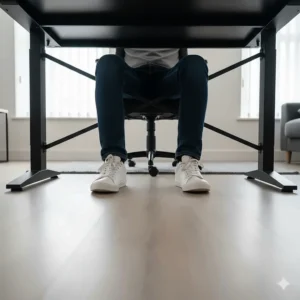
- Feet flat on floor (or footrest if needed)
- Knees at 90-degree angle
- Lower back supported by chair
- Elbows at 90-degree angle when typing
- Monitor top at or below eye level
- Arms parallel to floor
Movement Breaks: Set hourly reminders to stand, stretch, and move. UK employers are legally required to provide regular breaks from display screen equipment work—apply the same standard to your personal gaming sessions.
Storage Solutions for Dual Purposes
Professional work requires organisation: documents, notebooks, pens, calculators. Gaming requires accessibility: controllers, headsets, cables, snacks. Desks with integrated storage like the Coleshome with Drawers model help segregate these different needs.
Drawer organisation tip: Use small containers or dividers within fabric drawers to prevent the “junk drawer effect.” Pound shops sell excellent sorting trays for cables, batteries, and small accessories.
Budget Breakdown: Best Gaming Desk UK Under £200 by Price Point
Ultra-Budget (£50-£80)
Best Pick: BEXEVUE L-Shaped Gaming Desk (£59.99-£79.99)
At this price point, you’re making sacrifices—no LED lighting, no built-in power outlets, smaller surface area. However, the BEXEVUE delivers solid fundamentals: stable construction, reversible configuration, and adequate space for single-monitor gaming setups.
Who it’s for: Students, first-time gamers, tight budgets, small bedrooms
What you’re missing: RGB features, extensive cable management, power outlets
UK buyer verdict: “Does exactly what it says on the tin. Brilliant value for money.”
Mid-Range (£80-£120)
Best Pick: Coleshome L-Shaped Gaming Desk with LED (£89.99-£119.99)
The sweet spot for most UK gamers. You gain RGB lighting, proper cable management, reversible design, and sufficient surface area for dual monitors. The integrated power outlets and USB ports justify the price increase over ultra-budget options.
Who it’s for: Dual-monitor gamers, RGB enthusiasts, corner setups
What you’re missing: Premium materials, height adjustability
UK buyer verdict: “Perfect balance between features and price. The LED lighting is surprisingly good quality.”
Also consider: CubiCubi Z-Shaped Desk (£69.99-£89.99) for simpler aesthetics with excellent stability.
Upper Mid-Range (£120-£150)
Best Pick: IKEA Utespelare (£129)
Height adjustability, massive surface area (160x80cm), and IKEA’s reputation for longevity make the Utespelare the premium choice before breaking £150. The minimalist Scandinavian design won’t clash with any room aesthetic.
Who it’s for: Tall gamers needing adjustability, multi-monitor setups, long-term investment seekers
What you’re missing: LED lighting, built-in power
UK buyer verdict: “Sturdy, well-designed, and unbeatable for the price.”
Also consider: Coleshome with Drawers (£109.99-£129.99) if storage is priority over desk size.
Maximum Budget (£150-£200)
Best Pick: ODK L-Shaped Gaming Desk 168x120cm (£149.99-£189.99)
You’re pushing the budget limit, but gaining professional-grade surface area, integrated UK power outlets, RGB lighting, and construction quality that’ll last years. This is streamer-level equipment at enthusiast pricing.
Who it’s for: Serious gamers, streamers, content creators, multi-monitor enthusiasts
What you’re missing: Height adjustability (it’s still a fixed-height desk)
UK buyer verdict: “The extra space transforms your gaming experience. Worth every penny.”
Comparison Table: Benefits vs Traditional Alternatives
| Feature | Gaming Desk UK Under £200 | Traditional Office Desk | DIY Solutions (Table + Accessories) |
|---|---|---|---|
| Cost | £59.99-£189.99 | £80-£300+ | £40-£100 |
| RGB Lighting | Often included | Never included | Add-on required (£15-30) |
| Cable Management | Integrated features | Minimal/none | DIY solutions needed |
| Monitor Stands | Usually included | Rarely included | Purchase separately (£20-50) |
| Power Outlets | Common feature | Almost never | Extension lead needed (£15-40) |
| Adjustability | Limited (some models) | Often adjustable | Depends on choice |
| Aesthetic Appeal | Gaming-focused design | Professional/neutral | Variable |
| Assembly Time | 30 minutes-2 hours | 30 minutes-1 hour | Minimal |
| UK Warranty | Typically 1-2 years | 1-5 years (branded) | Individual components |
| Resale Value | Moderate | Low | Very low |
Price Range & Value Analysis
What Your Money Actually Buys
Understanding the cost breakdown helps you identify genuine value versus marketing fluff in the gaming desk UK under £200 market.
£50-£80 Range:
- Basic particle board construction (P2 grade)
- Simple metal frame (powder-coated steel)
- Minimal features (no LED, basic cable management)
- Standard UK warranty (1 year)
- Assembly time: 45-90 minutes
£80-£120 Range:
- Improved materials (carbon fibre texture, thicker boards)
- RGB LED lighting systems
- Integrated power outlets and USB ports
- Enhanced cable management
- Monitor stands/shelves
- Assembly time: 1-1.5 hours
£120-£200 Range:
- Premium construction (reinforced frames, quality finishes)
- Advanced features (height adjustment, reversible configurations)
- Larger surface areas
- Better warranties (2 years+)
- Professional-grade stability
- Assembly time: 1-2 hours
Hidden Costs to Consider
When budgeting for a gaming desk UK under £200, factor in these potential additional expenses:
Delivery Charges: Most Amazon.co.uk desks include free Prime delivery, but verify before checkout. IKEA charges £3.95-£35 depending on distance from store.
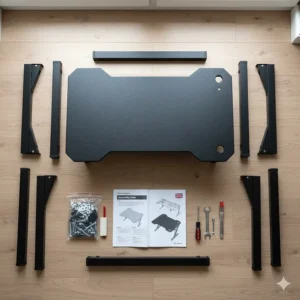
Assembly Tools: Whilst most desks include Allen keys and basic tools, a quality electric screwdriver (£20-40) speeds assembly considerably.
Ergonomic Accessories: Monitor arms (£30-80), footrests (£15-30), wrist rests (£10-20), task lighting (£15-50).
Cable Management Extras: Velcro ties (£5-10), cable sleeves (£8-15), under-desk trays (£15-25), surge protectors (£20-40).
Estimated total for complete setup: £250-£350 including desk, accessories, and tools.
Maintenance & Longevity Tips
Keeping Your Investment in Top Condition
A quality gaming desk UK under £200 should last 5-10 years with proper care. Here’s how to maximise longevity.
Regular Cleaning Protocols
Weekly:
- Wipe surface with slightly damp microfibre cloth
- Vacuum cable management areas to prevent dust buildup
- Check for loose screws (tighten if needed)
Monthly:
- Deep clean all surfaces with appropriate cleaner (wood-safe for MDF boards)
- Inspect cable connections for wear
- Lubricate any adjustable mechanisms with silicone spray
Quarterly:
- Full desk inspection for structural integrity
- Tighten all bolts and screws
- Clean under desk thoroughly (move desk if possible)
Surface Care by Material:
Carbon Fibre Texture (ODK, CubiCubi, Coleshome): Highly resistant to scratches and water. Clean with damp cloth and mild detergent. Avoid abrasive cleaners that might dull the texture.
Melamine Foil (IKEA Utespelare): Wipe with damp cloth. Don’t use excessive water—melamine can absorb moisture at edges if not properly sealed. Dry immediately after cleaning.
Particle Board with Edge Banding: Protect edges from moisture damage. If edge banding lifts, re-glue immediately with wood glue and clamp until dry to prevent further peeling.
Common Issues & Solutions
Problem: Desk Wobbles Solution:
- Check all screws are fully tightened
- Verify floor is level using spirit level
- Adjust foot pads to compensate for uneven surfaces
- Consider adding rubber furniture pads under legs
Problem: LED Lights Stop Working Solution:
- Check USB connection is secure
- Verify power source provides adequate current (some USB ports are low-power)
- Inspect LED strip for damage
- Contact manufacturer if under warranty
Problem: Cable Management Clips Break Solution: Keep spare adhesive cable clips (available at Pound shops). Replace broken clips immediately to prevent cable chaos resuming.
Problem: Surface Scratches Solution: Minor scratches on carbon fibre texture surfaces can be minimised with car interior detailer spray. For deeper gouges, furniture markers matching your desk colour work surprisingly well.
FAQ
❓ How much weight can a gaming desk UK under £200 support?
❓ Do I need special tools to assemble a gaming desk UK under £200?
❓ Will a gaming desk fit through standard UK doorways?
❓ Are RGB LED lights on gaming desks safe for long-term use?
❓ Can I use a gaming desk for professional work video calls?
Conclusion: Your Perfect Gaming Desk Awaits
After testing, researching, and analysing hundreds of UK buyer reviews, I’m confident you’ll find your ideal gaming desk UK under £200 from this guide. The market has genuinely matured—you’re no longer choosing between cheap rubbish and expensive excellence. Quality, feature-rich options exist at every price point.
For most UK gamers, I’d recommend the Coleshome L-Shaped Gaming Desk with LED (£89.99-£119.99) as the overall best value. It strikes that perfect balance between features, build quality, and price whilst offering genuine flexibility through its reversible design. The integrated RGB lighting and power outlets justify the modest price premium over ultra-budget options.
If you’re working with tighter constraints, the BEXEVUE L-Shaped Gaming Desk (£59.99-£79.99) delivers remarkable value. Yes, you sacrifice LED frills and power outlets, but the fundamental desk quality remains solid. Students and first-time gamers particularly appreciate its compact footprint and budget-friendly pricing.
For gamers prioritising maximum space and adjustability, the IKEA Utespelare (£129) can’t be beaten. That Scandinavian build quality, height adjustability, and massive 160x80cm surface will serve you reliably for years. The minimalist aesthetic won’t age or clash with future room redesigns.
Remember, the best gaming desk isn’t necessarily the most expensive—it’s the one that fits your specific needs, space constraints, and budget whilst supporting healthy ergonomic positioning. Measure your available space carefully, consider your monitor configuration requirements, and honestly assess which features you’ll actually use versus those that simply look appealing in product photos.
Your gaming desk is the foundation of countless victories, epic defeats, and memorable moments with mates online. Choose wisely, set it up properly, and it’ll serve you brilliantly for years to come. Now stop reading and start gaming!
Recommended for You
- 7 Best Electric Standing Desk UK Under £300 (2026 Reviews)
- 7 Best Corner Desks for Small Spaces UK 2026
- 7 Best Compact Computer Desks for Small Bedrooms 2026 UK
Disclaimer: This article contains affiliate links. If you purchase products through these links, we may earn a small commission at no additional cost to you. Prices shown are approximate and may vary.
✨ Found this helpful? Share it with your mates! 💬🤗
