
In This Article
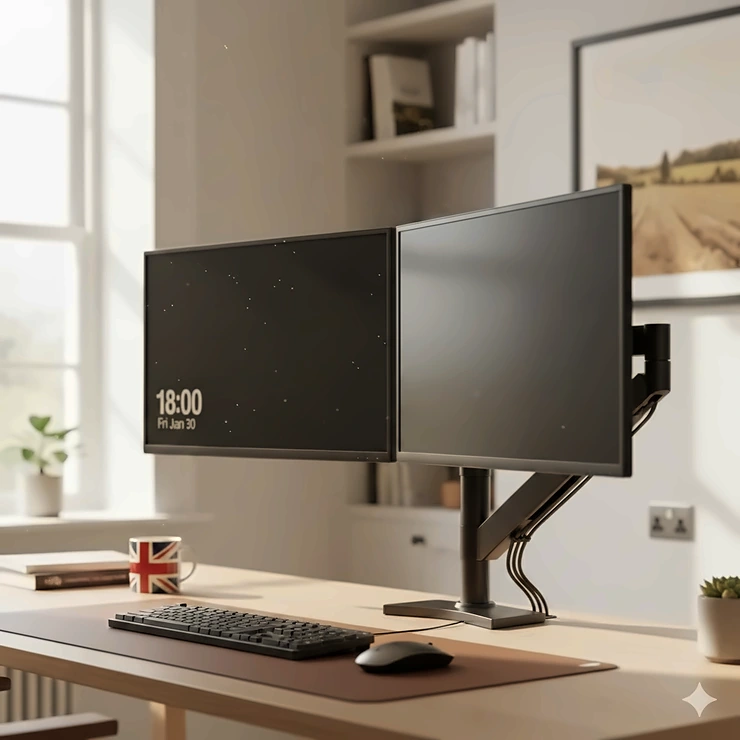
Picture this: you’re hunched over your desk, constantly minimising windows, squinting at tiny text, and feeling that familiar ache creeping up your neck. Sound familiar? You’re not alone. Research shows that workers using dual monitors can boost their productivity by 20 to 30 percent, yet many of us are still struggling with cluttered desks and poor posture.
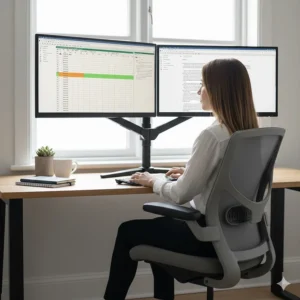
A dual monitor stand isn’t just another desk accessory—it’s a game-changer for your workspace. Whether you’re editing spreadsheets whilst referencing emails, coding on one screen whilst testing on another, or simply drowning in browser tabs, the right stand can transform how you work. But here’s the thing: not all stands are created equal, and with the UK market flooded with options ranging from £15 budget models to £200+ professional setups, choosing the wrong one can leave you worse off than where you started.
I’ve spent weeks researching UK-available models, analysing customer feedback, and comparing specifications to bring you this comprehensive guide. We’ll explore everything from gas spring mechanisms to VESA compatibility, ensuring you find the perfect match for your monitors, desk, and budget. Let’s dive in and discover which dual monitor stand deserves a place on your desk.
Quick Comparison Table
| Product | Type | Price Range (£) | Weight Capacity | Screen Size | Key Feature |
|---|---|---|---|---|---|
| Amazon Basics Gas Spring Dual Arm | Gas Spring Arm | £70-£90 | 9kg per arm | 13-27″ | Smooth height adjustment |
| HUANUO Dual Monitor Stand | Gas Spring Arm | £45-£65 | 9kg per arm | 13-32″ | Tool-free installation |
| BONTEC Dual Wooden Monitor Stand | Desk Riser | £20-£30 | Supports 2 monitors | Most sizes | Budget-friendly, storage |
| ErGear Dual Monitor Stand | Arm Mount | £50-£75 | 8kg per arm | 13-32″ | Freestanding base option |
| HILLPORT Dual Monitor Arm | Gas Spring Arm | £55-£80 | 9kg per arm | 17-30″ | Sleek aesthetic design |
| VIVO Dual Monitor Desk Mount | Arm Mount | £60-£85 | 10kg per arm | 13-27″ | Heavy-duty construction |
| Amazon Basics Premium Dual Arm | Premium Arm | £85-£120 | 9kg per arm | Up to 27″ | Aluminium construction |
💬 Just one click – help others make better buying decisions too!😊
Top 7 Dual Monitor Stands: Expert Analysis
1. Amazon Basics Gas Spring Dual Arm Monitor Stand – Best Overall Value
When it comes to balancing quality with affordability, this model hits the sweet spot. The Amazon Basics Gas Spring Dual Arm features smooth pneumatic height adjustment that makes repositioning your monitors effortless—literally a one-finger operation.
Key Specifications:
- VESA compatibility: 75x75mm and 100x100mm
- Height adjustment range: Up to 39.6 centimetres (15.6 inches)
- Cable management system integrated into arms
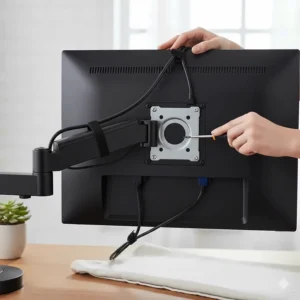
UK buyers consistently praise its rock-solid build quality, with one reviewer noting their Samsung 27-inch monitor “doesn’t budge an inch” even during vigorous typing. The steel construction feels premium, and unlike cheaper alternatives, the gas springs maintain tension over time. Installation takes roughly 15-20 minutes, and the included hardware covers both C-clamp (fits desks 1-6.1 centimetres thick) and grommet mounting options.
Pros:
✅ Smooth, tool-free height adjustments
✅ Excellent build quality for the price
✅ Clear instruction manual with labelled parts
Cons:
❌ Arms may require tension adjustment for very heavy monitors
❌ Black finish shows fingerprints easily
Price Range: £70-£90 | Target User: Home office professionals and gamers seeking reliable performance
2. HUANUO Dual Monitor Stand – Best Ergonomic Features
The HUANUO Dual Monitor Stand has become a favourite amongst UK remote workers, and for good reason. What sets this model apart is its exceptional range of motion combined with intuitive adjustability. The gas-lift mechanism operates smoothly across the full height range, and the 360-degree rotation capability means you can swivel screens between landscape and portrait mode in seconds.
Key Specifications:
- Supports monitors from 13 to 32 inches (up to 9kg each)
- ±85° tilt, 180° swivel, 360° rotation
- Dual mounting: C-clamp or grommet (desk thickness 1-8 centimetres)
British customers particularly appreciate the comprehensive cable management system. Rather than simple clips, HUANUO includes concealed channels that route cables through the arms themselves, creating a genuinely tidy appearance. One UK reviewer mentioned transforming their workspace from “cable chaos to minimalist haven” within an hour of installation.
The ergonomic benefits are substantial. According to studies on dual monitor ergonomics, proper screen positioning can boost productivity by up to 42% whilst reducing error rates by 33%, and this stand makes achieving optimal positioning straightforward.
Pros:
✅ Exceptional range of motion for perfect positioning
✅ Integrated cable management reduces clutter
✅ Solid construction with 10-year warranty
Cons:
❌ Slightly pricier than basic models
❌ Requires initial tension adjustment for optimal performance
Price Range: £45-£65 | Target User: Anyone spending 6+ hours daily at their desk
3. BONTEC Dual Wooden Monitor Stand – Best Budget Desktop Riser
Not everyone needs articulating arms—sometimes you just want to elevate your monitors and reclaim desk space. The BONTEC Dual Wooden Monitor Stand delivers exactly that at a fraction of the cost. This adjustable-length riser accommodates two monitors side-by-side whilst creating valuable storage underneath.
Key Specifications:
- Premium MDF construction with water-resistant finish
- Adjustable length and angle for different monitor sizes
- Built-in groove prevents monitors from sliding
The genius lies in its simplicity. Assembly takes under three minutes—just four screws and you’re done. The space beneath (approximately 10.4 centimetres high) perfectly stores keyboards, mice, notebooks, or gaming controllers when not in use. UK buyers love the clean aesthetic, with the oak or black finishes complementing most desk setups.
One Londoner shared that after years of neck strain from poorly positioned monitors, this £20 investment “solved problems I’d been ignoring for too long.” The anti-slip rubber pads protect your desk surface whilst keeping everything stable, even during enthusiastic keyboard tapping.
Pros:
✅ Incredibly affordable (under £30)
✅ Creates useful storage space underneath
✅ Quick assembly with minimal tools
Cons:
❌ Fixed height (no adjustment once assembled)
❌ Not suitable for monitors requiring frequent repositioning
Price Range: £20-£30 | Target User: Budget-conscious buyers and students
4. ErGear Dual Monitor Stand – Best for Flexibility
The ErGear Dual Monitor Stand stands out with its unique freestanding base design—no desk clamping required. This makes it perfect for glass desks, standing desks, or rental properties where you can’t drill holes. Simply position it on your desktop and you’re ready to go.
Key Specifications:
- Freestanding base with wide footprint for stability
- Supports screens up to 32 inches (8kg each)
- Full motion: ±45° tilt, 180° swivel, 360° rotation
The wide steel base (significantly broader than competitors) provides remarkable stability without desk attachment. UK customers report zero wobbling, even with dual 27-inch monitors fully extended. The smooth-flowing motion makes daily adjustments feel effortless, whether you’re switching from sitting to standing or simply finding the perfect angle for reducing glare.
Built-in USB ports (a rarity in this price range) offer convenient charging for phones and tablets. One Glasgow-based designer mentioned how the flexibility helped them switch between design work (landscape orientation) and document review (portrait mode) multiple times daily without frustration.
Pros:
✅ No desk clamping needed—great for any surface
✅ Exceptionally stable freestanding base
✅ Built-in USB ports for device charging
Cons:
❌ Takes up more desk surface area than clamped models
❌ Heavier to relocate if you rearrange frequently
Price Range: £50-£75 | Target User: Glass desk owners and frequent desk reorganisers
5. HILLPORT Dual Monitor Arm – Best Aesthetic Design
For those who want performance without sacrificing style, the HILLPORT Dual Monitor Arm delivers both in spades. Available in elegant white or classic black, this gas spring mount combines sleek aesthetics with robust functionality.
Key Specifications:
- Slim, modern design in white or black finish
- Adjustable gas springs for 17-30 inch monitors
- VESA 75x75mm and 100x100mm compatibility
The powder-coated finish resists fingerprints and scratches better than cheaper alternatives. British buyers consistently mention how the clean lines and minimalist design elevate their entire workspace aesthetic. But it’s not just about looks—the gas spring mechanism operates smoothly across the full range, with easy tension adjustment via included hex keys.
HILLPORT backs this model with a 10-year warranty, demonstrating confidence in their construction quality. Cable management channels keep wires organised, and the included C-clamp fits desks from 1 to 7.8 centimetres thick. One Manchester accountant noted that colleagues constantly ask about their “professional-looking setup” during video calls.
Pros:
✅ Sleek, contemporary design in multiple colours
✅ Smooth gas spring operation
✅ Impressive 10-year warranty
Cons:
❌ White finish may yellow over time with sunlight exposure
❌ Slightly higher price than basic black models
Price Range: £55-£80 | Target User: Design-conscious professionals with modern workspaces
6. VIVO Dual Monitor Desk Mount – Best Heavy-Duty Option
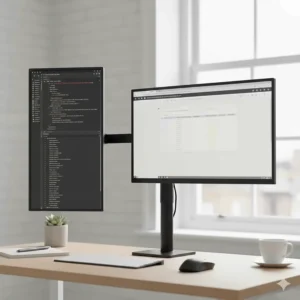
When you’re working with larger, heavier monitors, the VIVO Dual Monitor Desk Mount provides the robust support you need. This mount handles screens up to 30 inches and supports up to 10 kilograms per arm—more than most competitors.
Key Specifications:
- Heavy-duty steel construction
- Supports 13-30 inch monitors (10kg per arm maximum)
- Fully adjustable: height, tilt, swivel, and rotation
The chunky arms might look industrial, but that’s because they’re built to last. UK buyers working with curved ultrawide monitors or professional-grade displays praise its ability to hold position without sagging. The counterbalance spring system requires initial calibration (detailed instructions included), but once set, it provides consistent support for years.
According to UK ergonomic specialists, proper dual screen setup following HSE Display Screen Equipment regulations can significantly reduce musculoskeletal injuries and workplace fatigue. The VIVO’s extensive adjustability makes achieving compliant positioning straightforward.
One Birmingham programmer mentioned upgrading from a cheaper stand that constantly drooped, and the VIVO “hasn’t budged in 18 months of daily use.” The C-clamp and grommet mounting options accommodate various desk thicknesses.
Pros:
✅ Exceptional weight capacity for larger monitors
✅ Rock-solid construction prevents drooping
✅ Comprehensive height and angle adjustments
Cons:
❌ Bulkier appearance than sleeker models
❌ Requires careful initial calibration
Price Range: £60-£85 | Target User: Users with large, heavy monitors or curved displays
7. Amazon Basics Premium Dual Arm Monitor Stand – Best Premium Choice
For those willing to invest in top-tier quality, the Amazon Basics Premium Dual Arm represents the pinnacle of consumer-grade monitor mounting. The aluminium construction isn’t just for show—it provides superior durability whilst reducing overall weight.
Key Specifications:
- Premium aluminium alloy construction
- Lift engine mechanism for effortless height adjustment
- Silver finish with premium aesthetic
- VESA 75x75mm and 100x100mm compatible
The lift engine mechanism is where this stand truly shines. Unlike basic gas springs, the lift engine provides smoother, more controlled movement with virtually zero resistance. One UK reviewer who tried the budget Amazon Basics model first mentioned the premium version feels like “comparing a Volkswagen to a Mercedes—both get you there, but the experience is night and day.”
The silver finish coordinates beautifully with Apple products and modern aluminium-framed monitors. British buyers consistently mention receiving compliments during video meetings. Cable routing is sophisticated, with concealed channels and clever clips keeping everything tidy.
Pros:
✅ Superior aluminium construction
✅ Silky-smooth lift engine mechanism
✅ Premium aesthetics worth the investment
Cons:
❌ Significantly pricier than standard models
❌ Overkill if you rarely adjust monitor positions
Price Range: £85-£120 | Target User: Professionals wanting the absolute best quality
Understanding VESA Mounting Standards
Before purchasing any dual monitor stand, understanding VESA mounting standards is crucial. VESA (Video Electronics Standards Association) defines standardised mounting patterns, with VESA MIS-D (75x75mm and 100x100mm) being the most common for monitors up to 14 kilograms.
Check your monitor’s rear panel for four threaded holes arranged in a square pattern. Measure the distance between hole centres horizontally and vertically—75 millimetres (3 inches) or 100 millimetres (4 inches) are standard. Most modern monitors support VESA mounting, but ultra-budget or specialised models occasionally don’t. Verify compatibility before purchasing any stand to avoid disappointment.
Desk Space Optimisation Benefits
The primary advantage of any dual monitor stand goes beyond aesthetics—it’s about reclaiming valuable workspace. Traditional monitor bases consume roughly 25-30 centimetres of depth per screen. Switching to a mounted solution instantly frees 50-60 centimetres of desk real estate.
What can you do with this newfound space? UK users report:
- Positioning keyboards and mice more ergonomically
- Adding desk plants for improved wellbeing
- Creating dedicated zones for notebooks and reference materials
- Accommodating additional peripherals like drawing tablets or stream decks
For smaller UK homes where every centimetre counts, this space efficiency can transform a cramped workspace into a comfortable, productive environment.
Ergonomic Screen Positioning: The Science
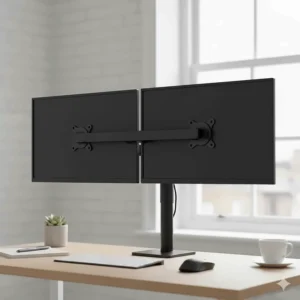
Proper monitor positioning isn’t just comfortable—it’s essential for long-term health. Workplace injury prevention specialists found that workers using dual monitors experience 20-30% productivity increases, but only when ergonomic setup is optimised.
Optimal Positioning Guidelines:
Height: Top of your screen should sit at or slightly below eye level. This natural downward gaze (approximately 10-20 degrees) reduces neck strain during extended sessions.
Distance: Maintain an arm’s length (roughly 60-70 centimetres) between your eyes and screens. Too close causes eye fatigue; too far encourages leaning forward, compromising posture.
Angle: If using monitors equally (50/50 split), position them centrally with inner edges touching, creating a gentle curve. For primary/secondary usage (80/20), centre your main monitor directly ahead and angle the secondary monitor inward at 15-30 degrees.
Lighting: Position screens perpendicular to windows to minimise glare. Overhead lighting should be diffused rather than harsh. Consider bias lighting behind monitors to reduce eye strain during evening work sessions.
Gas Spring vs Fixed Riser: Which Type Is Right for You?
Choosing between adjustable arm mounts and fixed risers depends on your workflow and priorities:
Gas Spring Arm Mounts
Best for: Frequent position changes, shared workspaces, sit-stand desks
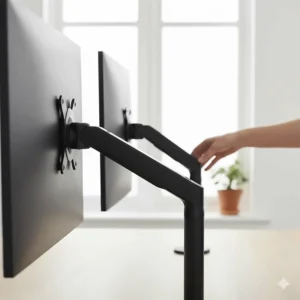
- Effortless height and angle adjustment
- Premium feel and smooth operation
- Higher investment (£50-£120)
- Requires desk edge access for clamping
- Ideal if you regularly switch between sitting and standing
Fixed Desktop Risers
Best for: Static setups, budget constraints, glass desks
- Budget-friendly (£15-£40)
- Simple installation with minimal tools
- Creates storage space underneath
- Limited adjustability once positioned
- Perfect for dedicated desk configurations
Neither type is inherently superior—the right choice depends on your specific needs, budget, and how often you’ll adjust monitor positions.
Triple Monitor Mount Considerations
Whilst this guide focuses on dual setups, some UK users require three screens. Triple monitor mounts follow similar principles but with additional considerations:
- Ensure adequate desk depth (at least 70 centimetres) for comfortable viewing distance
- Check weight capacity carefully—three monitors significantly increase load
- Consider stacked configurations (two bottom, one top) for tighter spaces
- Budget £80-£150 for quality triple mounts versus £50-£120 for dual setups
Most professionals find dual monitors sufficient for productivity gains, with diminishing returns beyond two screens unless you’re a trader, developer, or creative professional with specific multi-screen workflows.
Installation Tips for UK Desks
British furniture varies widely, and not all desks accommodate every mounting solution:
IKEA Desks: Most IKEA desks work with C-clamps, but be cautious with honeycomb-core models (LINNMON, LAGKAPTEN). These may compress under clamp pressure. Consider freestanding bases or desktop risers instead.
Glass Desks: Avoid clamp-mounted stands entirely—the pressure can crack tempered glass. Freestanding base models or desktop risers are your only safe options.
Solid Wood Desks: Ideal for all mounting types. Can safely accommodate both C-clamp and grommet installations.
Particleboard/MDF: Works with C-clamps if thickness exceeds 2 centimetres. Avoid overtightening, which can crush cheaper materials.
Before installation, measure your desk thickness and edge clearance (distance from edge to any crossbeams underneath). Most clamps require 1-8 centimetres thickness and at least 5 centimetres vertical clearance.
Cable Management: Achieving a Clean Setup
Even the best dual monitor stand looks messy with tangled cables. Here’s how UK users achieve cable-free aesthetics:
During Installation:
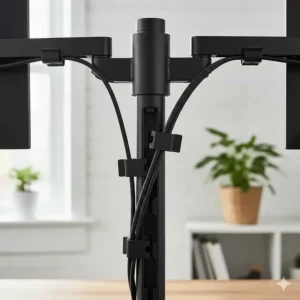
- Route cables through arm channels before final tightening
- Use supplied cable clips at each joint
- Leave slight slack for movement without tension
Additional Solutions:
- Velcro cable ties (reusable, adjustable)
- Cable sleeves for grouping multiple wires
- Adhesive cable clips along desk underside
- Wireless keyboards and mice to reduce overall cable count
Power Management: UK extension leads with individual switches let you control all monitors and peripherals from one location, reducing phantom power consumption when away from your desk.
Comparison: Traditional Stands vs Monitor Mounts
| Feature | Traditional Stands | Monitor Mounts/Risers |
|---|---|---|
| Desk Space Used | 50-60cm depth | 0-15cm depth |
| Height Adjustability | Limited | Fully adjustable |
| Viewing Angles | Fixed | Infinite positioning |
| Desk Compatibility | Universal | Requires suitable edge |
| Price Range | £0 (included) | £20-£120 |
| Installation Time | 0 minutes | 15-30 minutes |
| Professional Appearance | Basic | Premium |
Benefits vs Traditional Alternatives
Space Efficiency
Traditional monitor stands waste 50-60 centimetres of valuable desk depth. A mounted solution instantly reclaims this space, transforming cramped workstations into comfortable, organised environments. For UK homes with limited space, this efficiency is game-changing.
Ergonomic Flexibility
Built-in stands offer minimal height adjustment (often just tilt). Quality mounts provide comprehensive positioning: height, depth, tilt, swivel, and rotation. This flexibility ensures optimal ergonomic setup regardless of your chair height, desk configuration, or posture preferences.
Professional Aesthetics
There’s no denying it—mounted monitors look dramatically more professional than traditional setups. For UK remote workers conducting frequent video calls, the elevated, symmetrical appearance creates a polished impression.
Cost-Benefit Analysis
A £60 dual monitor stand might seem expensive, but consider the alternatives:
- Replacing monitors with built-in height adjustment: £100-£200 premium per screen
- Dealing with neck pain from poor positioning: potential physiotherapy costs and lost productivity
- Purchasing separate desk organisers for freed-up space: £20-£40
When viewed holistically, a quality stand represents excellent value for money.
Price Range & Value Analysis
| Budget Tier | Price Range (£) | What to Expect | Best For |
|---|---|---|---|
| Budget | £15-£35 | Fixed desktop risers, basic materials | Students, minimal adjustability needs |
| Mid-Range | £40-£70 | Gas spring arms, good build quality | Home office workers, regular adjusters |
| Premium | £75-£120 | Superior materials, smooth operation | Professionals, heavy monitors |
The sweet spot for most UK buyers sits in the £45-£75 range, where you’ll find gas spring mechanisms, solid construction, and comprehensive adjustability without paying for premium finishes or brand names.
How to Choose the Right Dual Monitor Stand
Selecting the perfect stand requires answering five key questions:
1. What Are Your Monitor Specifications?
Measure your screens’ diagonal size and check the manual for weight (typically 3-7 kilograms for 24-27 inch monitors). Verify VESA compatibility by examining the rear panel for a square pattern of four threaded holes.
2. How Will You Use Your Monitors?
If you use both screens equally, centred positioning with arm mounts provides ideal symmetry. Primary/secondary users (one screen for main work, one for reference) may find fixed risers adequate, with the primary monitor directly ahead.
3. What’s Your Desk Configuration?
Glass desks require freestanding bases. Thin IKEA desks (under 2 centimetres) limit clamp options. Solid wood or thick particleboard accommodates any mounting solution. Measure your desk edge thickness and note any obstructions underneath.
4. Do You Adjust Frequently?
Regular position changes (switching between sitting/standing, sharing workspace, or varying tasks) justify investing in gas spring arms. Static setups work perfectly well with budget-friendly desktop risers.
5. What’s Your Budget?
Be realistic about needs versus wants. A £25 desktop riser often suffices for dedicated setups, whilst £70 gas spring arms suit those wanting flexibility. Avoid ultra-cheap options under £15—they’ll disappoint with poor stability and frustrating adjustments.
Frequently Asked Questions
❓ Can I mount different sized monitors on one stand?
❓ Will my IKEA desk support a clamped monitor arm?
❓ How much weight can typical dual monitor stands support?
❓ Do I need tools to assemble these monitor stands?
❓ Can monitor arms damage my desk surface?
Conclusion: Transform Your Workspace Today
Choosing the right dual monitor stand transforms more than just your desk—it revolutionises how you work. From the budget-friendly BONTEC Wooden Stand at under £30 to the premium Amazon Basics Premium Dual Arm at £120, there’s a perfect solution for every UK workspace and budget.
The benefits extend far beyond aesthetics. Proper ergonomic positioning reduces neck and shoulder strain, reclaimed desk space improves organisation, and the professional appearance boosts confidence during video calls. Whether you’re a student in a cramped dorm room, a remote worker in a converted spare bedroom, or a professional with a dedicated home office, the right stand pays dividends in comfort, productivity, and wellbeing.
My top recommendation for most UK buyers? The HUANUO Dual Monitor Stand strikes the ideal balance between affordability (£45-£65), functionality, and build quality. Its gas spring mechanism, comprehensive adjustability, and 10-year warranty provide exceptional value. However, if budget constraints are paramount, the BONTEC Wooden Stand delivers remarkable performance at just £20-£30.
Don’t let another day pass with cramped desk space and uncomfortable viewing angles. Your neck, your productivity, and your workspace aesthetic will thank you.
✨ Don’t Miss These Exclusive Deals!
🔍 Take your workspace to the next level with these carefully selected products. Click on any highlighted item to check current pricing and availability on Amazon.co.uk. These tools will help you create authentic ergonomic setups your colleagues will envy!
Recommended for You
- 7 Best Adjustable Student Chair for Teens UK 2026 Guide
- 7 Best Gaming Chair UK Under £150: Budget Winners 2026
- 7 Best Office Chair Under £100 UK (2026) – Budget-Friendly Comfort
Disclaimer: This article contains affiliate links. If you purchase products through these links, we may earn a small commission at no additional cost to you. Prices shown are approximate and may vary.
✨ Found this helpful? Share it with your mates! 💬🤗
